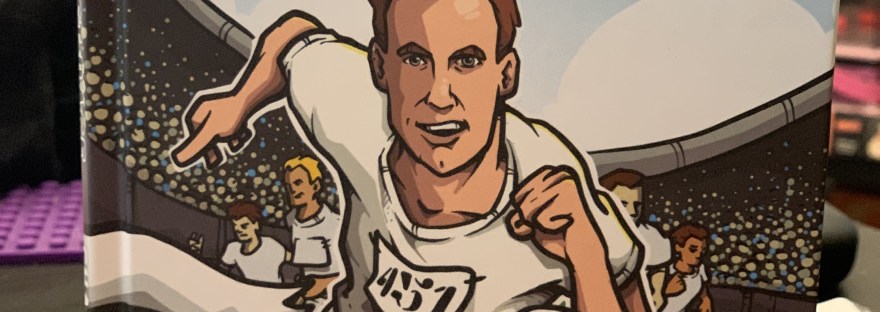
As a homeschool mom, I look for books that encourage thoughtful conversations about character, purpose, and the choices we make. Eric’s Greatest Race, written by Tim Challies and illustrated by Paul Mignard, would make a meaningful addition to our high school lessons on self-improvement, confidence, perseverance, and world religions.
This graphic biography introduces Eric Liddell as an Olympic athlete, Christian missionary, and prisoner during World War II. His story includes his decision not to compete on a Sunday during the 1924 Olympics because of his religious convictions—a choice that offers plenty for teens to discuss.
This graphic biography introduces Eric Liddell as an Olympic athlete, Christian missionary, and prisoner during World War II. His story includes his decision not to compete on a Sunday during the 1924 Olympics because of his religious convictions a choice that offers plenty for teens to discuss.
For our self-improvement and confidence lessons, I appreciate the opportunity to explore what it means to know your values and make decisions that reflect them. Teenagers face pressure to gain approval, fit in, and achieve. Liddell’s story invites students to ask: What does success mean to me? Would I stand by my convictions if doing so cost me an important opportunity? These are valuable questions as our high schoolers develop independence and a stronger sense of identity.
The book also provides a starting point for discussing perseverance beyond achievement. Following Liddell’s life from athletics to missionary work and wartime imprisonment allows students to consider how someone’s purpose can endure through changing circumstances. I would use that progression to discuss discipline, adapting when plans change, and continuing to act with integrity when life becomes difficult. Students could reflect on a personal setback and identify practical steps toward moving forward.
As a Muslim homeschool family, I also see value in including this book in our world religions studies. It is written from an explicitly Christian perspective, giving us an opportunity to examine how one individual’s understanding of his faith shaped his decisions. We could discuss religious commitment, service, and conscience while recognizing differences between Christian and Islamic beliefs. I would pair it with other resources so students understand that Liddell’s experience represents one person’s convictions rather than every Christian’s practice.
Although the publisher places the book within its ages 8–12 offerings, I would use its accessible graphic format as a supplemental high school reading. The depth would come through our discussions, historical research, and reflective writing. A particularly useful response prompt would be: “How can confidence in your values help you persevere when your goals and circumstances change?”
Eric’s Greatest Race would be a worthwhile addition to our homeschool because it connects personal growth with real decisions and consequences. It offers an inviting way to explore how faith, courage, discipline, and purpose can influence the life a person chooses to lead.
There is something so special about watching little learners discover the wonderful world of letters, sounds, and eventually reading! As a homeschool mom, I have always believed that building a strong foundation in early literacy doesn’t have to involve endless worksheets, complicated lessons, or hours sitting at a table. Sometimes, the simplest learning tools can make the biggest difference, especially when they make learning fun!
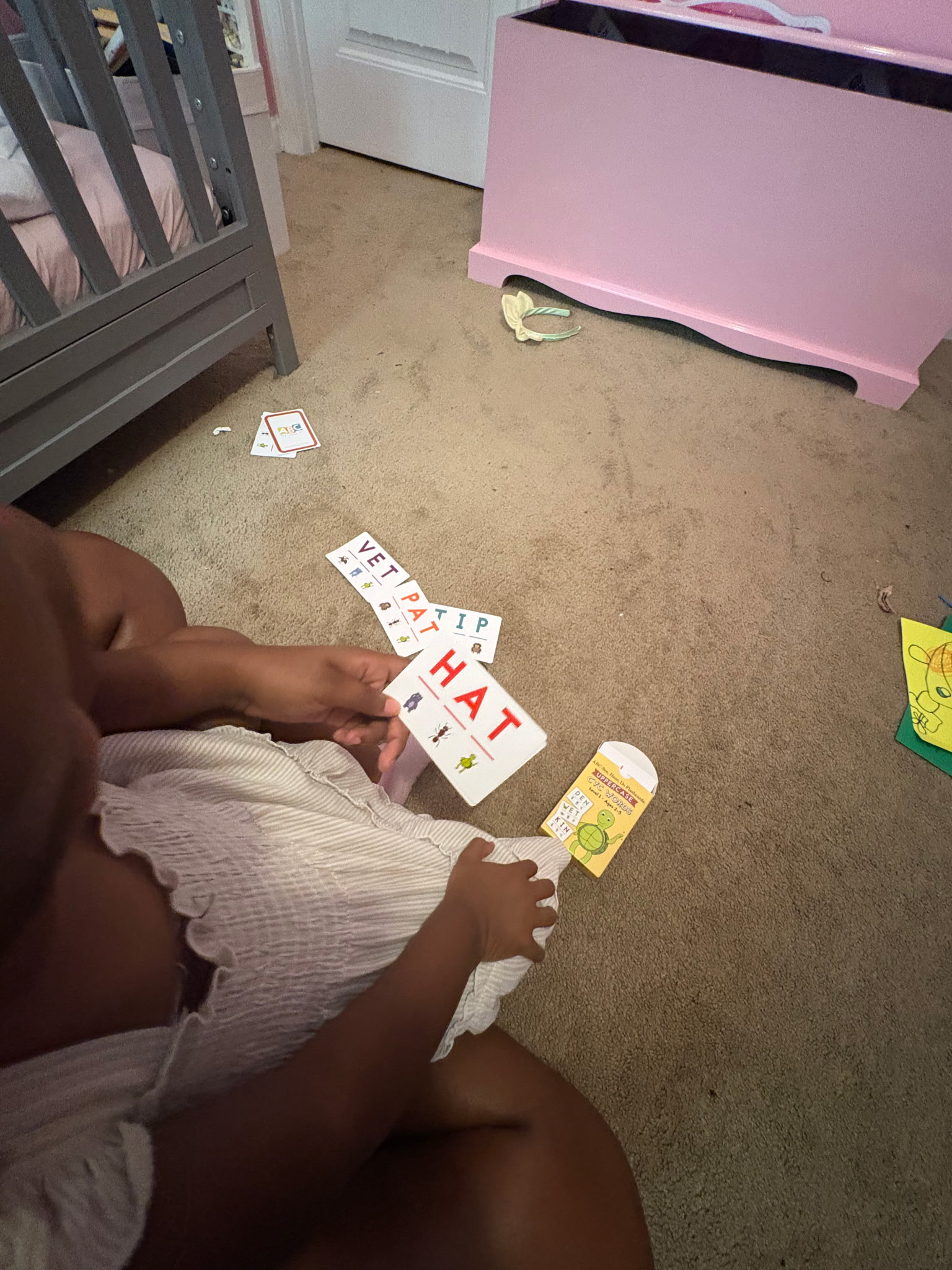
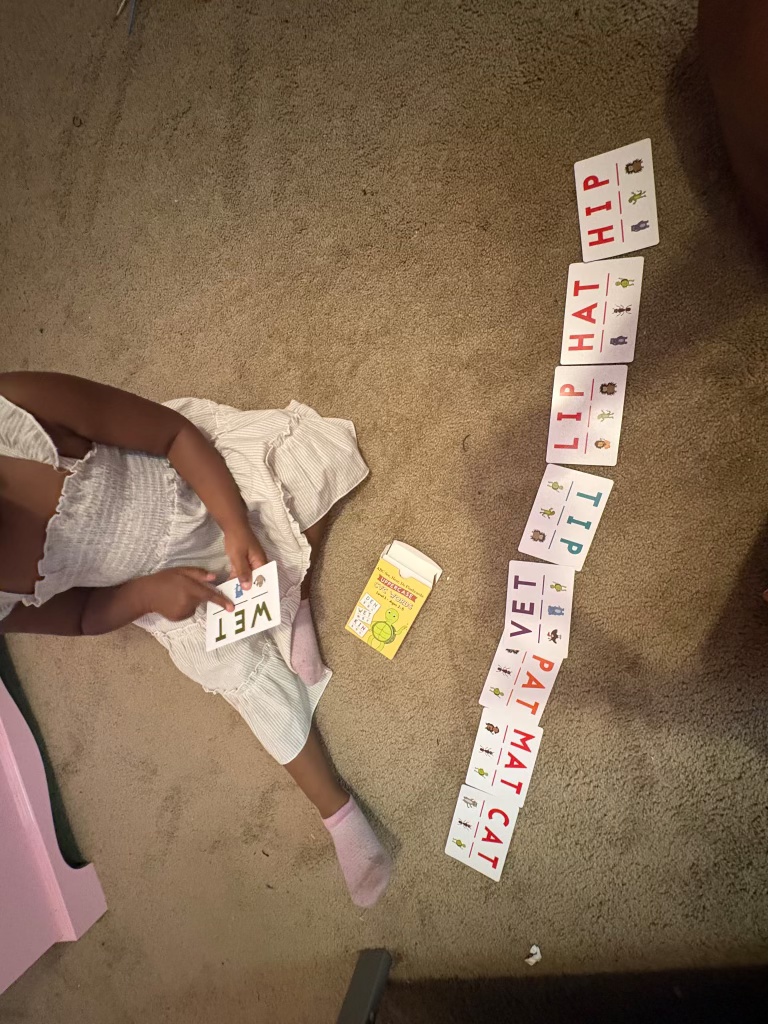
What made these two sets extra special was that I had two very special little learners in mind when I received them. Rather than keeping them in our homeschool collection, I decided to share the joy of learning with my great-nephew and a sweet little friend of ours who are both beginning their own early learning adventures. nd let me tell you, it has been such a pleasure watching both kiddos work with their cards!
ABC See, Hear, Do Uppercase Letters Level 1: A Wonderful Beginning for Little Learners
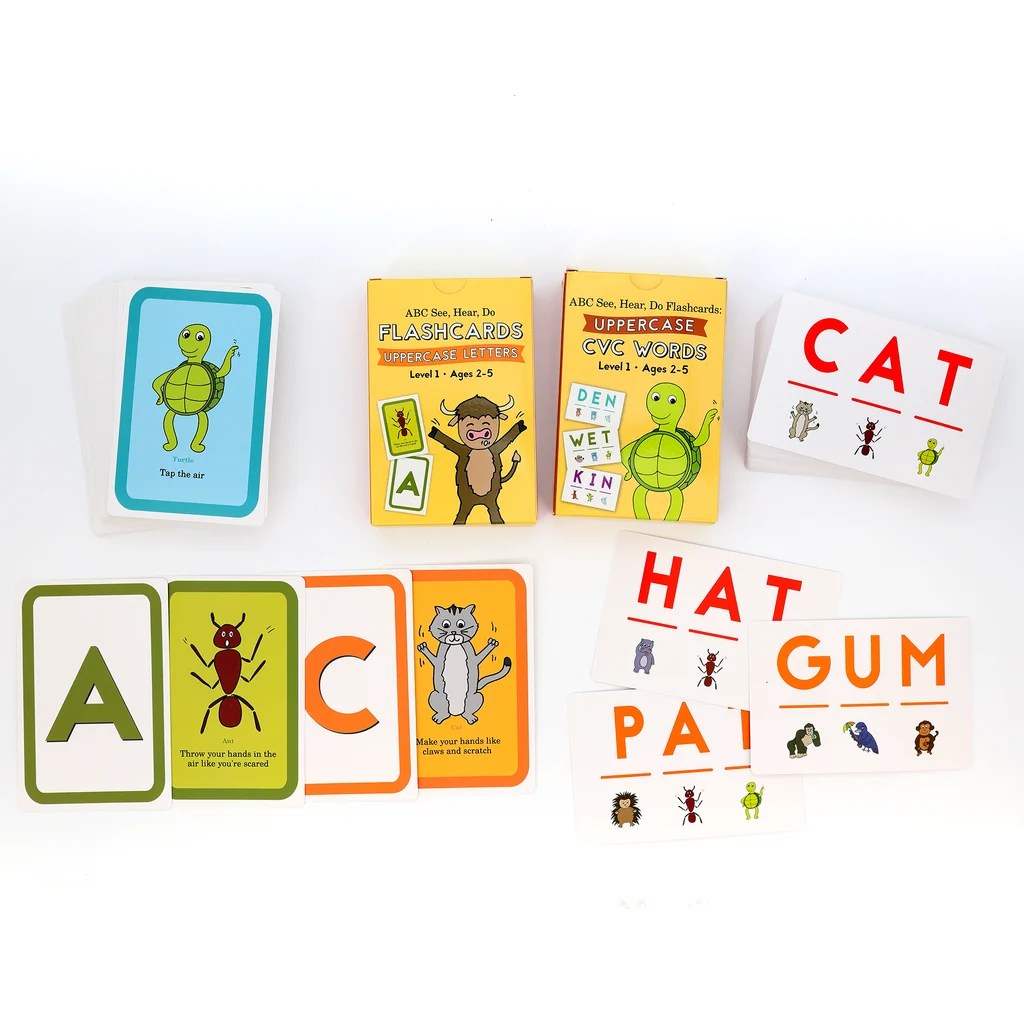
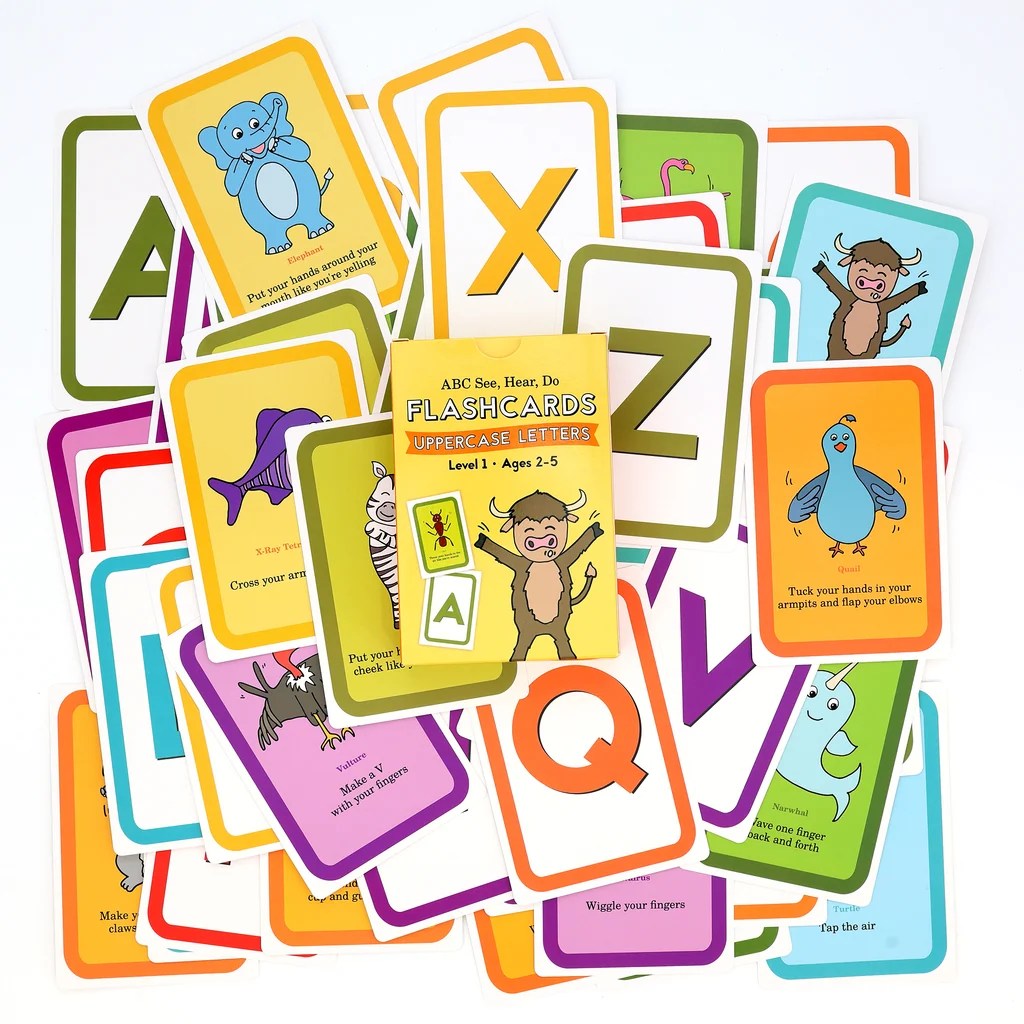
When it comes to introducing the alphabet, I love resources that go beyond simply asking a child to memorize what a letter looks like. The ABC See, Hear, Do Uppercase Letters Level 1 flashcards offer a playful, multi sensory approach to early literacy. These cards introduce children to uppercase letters while encouraging them to connect what they see with the sounds they hear and the movements they make. The concept behind ABC See, Hear, Do is wonderfully simple: children see the letter, hear its sound, and use an accompanying action or movement to help reinforce what they are learning.
This approach is especially helpful for little learners who aren’t quite ready for traditional pencil-and-paper activities. Instead of sitting still and repeating letters, they get to participate in the learning process! I decided to gift this set to my great-nephew as he begins his journey into home learning. I wanted him to have something that would make his first experiences with letters exciting, engaging, and, most importantly, enjoyable. At this stage, it’s not about rushing children into reading. It’s about helping them become comfortable with letters, recognizing their shapes, hearing their sounds, and developing confidence as they learn something new.
What I especially appreciate about the Uppercase Letters set:
It introduces uppercase letter recognition in a child-friendly way.
It encourages letter-sound connections, an essential early reading skill.
It incorporates movement and visual learning rather than relying solely on memorization.
It can be used for short, playful learning sessions without overwhelming younger children.
It gives parents a simple way to introduce foundational literacy skills at home.
For families just beginning their homeschool journey, this is the type of resource I love recommending. You don’t need to be an experienced homeschool parent to sit down with your little one and make learning letters fun.
ABC See, Hear, Do Uppercase CVC Words Level 1: Taking Those First Steps Toward Reading
Our second set, ABC See, Hear, Do Flashcards: Uppercase CVC Words Level 1, went to a special little friend of ours who has officially started her three-year-old year doing all the homeschool things! She is beginning to explore reading, and I thought these cards would be a wonderful addition to her early learning activities. Now, if you are new to teaching reading, you might be wondering what CVC words are. CVC stands for consonant-vowel-consonant. These are simple three-letter words, such as CAT, DOG, and SUN, that help beginning readers practice blending individual letter sounds together to form words. Learning to blend sounds is a huge milestone in early reading development!
While the Uppercase Letters set focuses on helping children recognize letters and connect them with sounds, the Uppercase CVC Words set helps children begin putting those sounds together. What I love about this progression is that it builds naturally on the skills children are already developing.
The CVC flashcards give little learners opportunities to:
Practice recognizing individual letter sounds within words.
Develop phonemic awareness and beginning decoding skills.
Learn how sounds blend together to create words.
Strengthen early word recognition.
Build confidence as they begin reading simple words independently.
And because the ABC See, Hear, Do approach incorporates visual, auditory, and movement-based learning, it makes the process feel much more interactive than simply drilling word lists. For our little friend, these cards are a great way to explore the beginning stages of reading while still enjoying all the fun that comes with being three years old. One thing I always encourage parents to remember is that early learning is not a race. Some three-year-olds are eager to explore letters and words, while others are still developing those foundational skills through play. Both are perfectly fine! These cards can be introduced gradually, allowing children to work at their own pace.
Let’s Talk About the Cards Themselves: Quality, Durability, and Everyday Use
One thing I always consider when reviewing learning materials for younger children is durability. Let’s face it, little hands aren’t always gentle! Flashcards get shuffled, dropped, spread across the floor, carried around the house, and sometimes become part of an entirely different imaginative adventure. That is why I appreciate having dedicated, reusable flashcards rather than relying entirely on printed worksheets. The ABC See, Hear, Do cards have a colorful, easy-to-follow presentation that makes them inviting for young learners. Their individual card format is also practical because parents can select just a few letters or words at a time instead of overwhelming children with an entire alphabet or a long reading lesson. I especially like how easy they are to incorporate into everyday learning.
You can use them during morning time, at the kitchen table, on the living room floor, or as a quick activity between other homeschool lessons. For families planning to use their cards over several years or pass them down to younger siblings, I recommend storing them together after each lesson and keeping them away from snacks and drinks. With younger learners, taking care of our materials is another little lesson in itself! The cards are also easy to adapt to different activities. You can introduce a few new letters, revisit familiar sounds, play matching games, or encourage your child to demonstrate the movements that go along with what they’re learning.
Who Would Benefit Most from These Flashcards?
I think these sets are wonderful additions for several types of early learners.
Beginning preschool and Pre-K students: The Uppercase Letters set is an excellent starting point for children just becoming familiar with the alphabet and letter sounds.
Children showing an interest in reading: The Uppercase CVC Words set provides a natural next step for children who are beginning to recognize letter sounds and are ready to practice blending.
Hands-on and active learners: Children who enjoy movement and interactive activities may especially appreciate the See, Hear, Do approach.
Homeschool families with multiple young children: These cards can be brought out again and again as younger siblings reach different stages of early literacy.
Parents, grandparents, and caregivers: You don’t have to be a homeschool parent to use these resources. They are also wonderful for families who want to support early learning at home through short, meaningful activities.
I also think these would make thoughtful gifts for a child beginning preschool or starting a home learning journey. After all, that is exactly why I chose to share these sets with two special little people in our lives!
My Final Thoughts: Little Cards, Big Foundations!
As a homeschool mom, one of the greatest joys is watching children develop a love for learning. It doesn’t matter whether they are your own children, grandchildren, nieces, nephews, or special little friends. There is something incredibly rewarding about being part of those early educational milestones.
Gifting the Uppercase Letters set to my great-nephew as he begins his home learning journey and sharing the Uppercase CVC Words set with our little three-year-old friend has made this review especially meaningful.
It has truly been a pleasure watching both kiddos work with their cards, explore new skills, and begin building those important early literacy foundations. I love that these resources meet children at different stages of their learning journey. One child is beginning with letters and sounds, while another is taking those exciting first steps toward putting sounds together to read words. Both are learning. Both are growing. And both are developing skills that will serve them as they continue their educational journeys. The ABC See, Hear, Do Flashcards are a lovely reminder that early literacy doesn’t have to be complicated.
With the right resources, a little patience, and plenty of encouragement, we can make learning to read a positive and memorable experience. If you are putting together an early learning collection, shopping for a little learner, or exploring homeschool curriculum for the first time, I definitely think these flashcards are worth checking out. And don’t forget to take a look at the 2026 Timberdoodle Co. Pre-K Curriculum Kit while you’re at it! You might just discover some wonderful new resources for your little learner.
Because sometimes, those little flashcards help build the biggest foundations for a lifelong love of reading!
As a longtime homeschool mom, I have learned that homeschooling is about so much more than textbooks, worksheets, and checking off assignments. It is about creating meaningful educational experiences, encouraging curiosity, developing critical-thinking skills, and finding creative ways to connect what our children are learning to the world around them. Now that we have entered the high school years with our 9th grader, I am discovering just how important it is to document those experiences, especially as we begin building high school credits, tracking projects, and preparing for transcripts.
High school homeschooling brings a different level of responsibility. We are no longer simply planning lessons and keeping samples of completed work. We are thinking about course descriptions, learning objectives, academic progress, extracurricular experiences, and how everything fits into our student’s overall high school education.
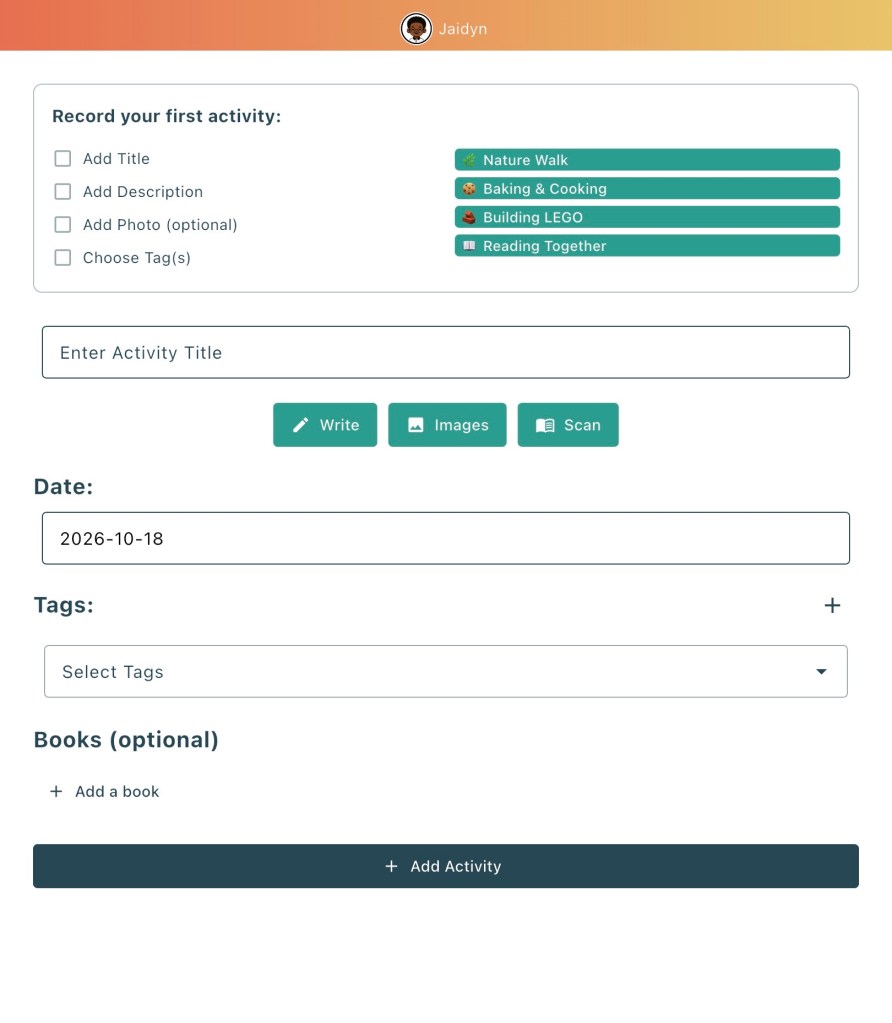
That is where Strew: The Home Education App has become a helpful addition to our homeschool. We have been incorporating Strew into our 9th-grade homeschool year to help us track projects, recognize learning across different subject areas, and document the educational value of activities that don’t always fit neatly into a traditional textbook assignment. One of the things I appreciate most is that Strew encourages me to look at learning from a broader perspective. Instead of simply recording that my son completed a project, I can explore the different academic subjects, skills, and learning outcomes connected to that experience.
We have been incorporating Strew into our 9th-grade homeschool year to help us track projects, recognize learning across different subject areas, and document the educational value of activities that don’t always fit neatly into a traditional textbook assignment. One of the things I appreciate most is that Strew encourages me to look at learning from a broader perspective. Instead of simply recording that my son completed a project, I can explore the different academic subjects, skills, and learning outcomes connected to that experience. And as a homeschool mom who loves hands-on learning, creative projects, and opportunities for my student to explore his interests, that is exactly the kind of flexibility I appreciate.
What Is Strew: The Home Education App?
Strew is a digital homeschool record-keeping app designed to help families document learning experiences, organize educational activities, monitor progress, and create reports. Whether your student is completing a science experiment, researching a historical event, participating in a community program, reading a novel, or working on an independent project, those experiences can become part of their ongoing educational record.
The app includes several useful features, including:
Activity logging and a learning timeline
AI-assisted learning insights and suggested outcomes
Study Points for tracking different areas of learning
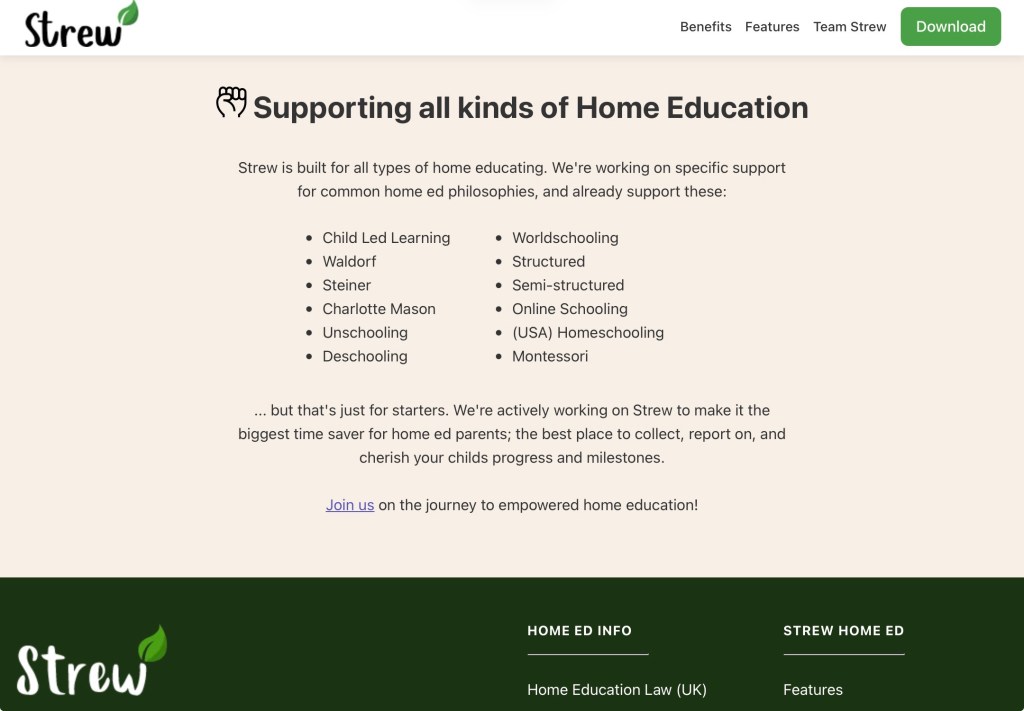
What makes Strew particularly appealing is that it supports different homeschool philosophies. Families who follow a traditional curriculum can use it alongside their lessons, while those who prefer project-based learning, unit studies, or child-led education can document their experiences just as easily. For our family, we fall somewhere in the middle. We have structured high school courses and academic expectations, but I also want room for exploration, creativity, independent research, and real-world learning. Strew allows us to document both.
How We Are Using Strew in Our 9th-Grade Homeschool
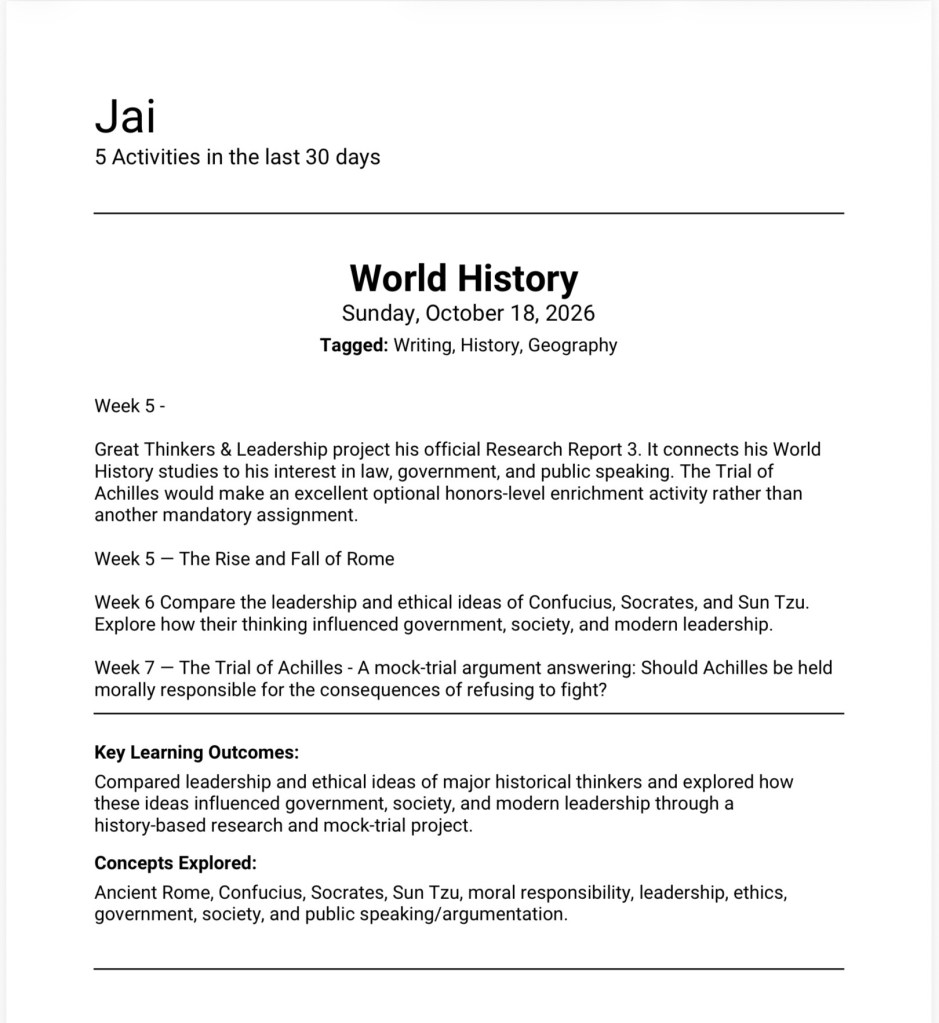
One of our biggest goals this school year is to make our high school courses more engaging without losing sight of academic expectations. We are incorporating more independent projects, research opportunities, hands-on activities, and interdisciplinary learning into our homeschool. At the same time, I want to make sure those experiences are documented as part of our son’s high school education. For example, our student has a strong interest in law, government, public speaking, and history. We incorporate those interests into projects that allow him to research issues, evaluate evidence, develop arguments, and communicate his findings. An activity involving the legal system may begin as part of his law studies, but it can also incorporate English, history, civics, research, and communication skills. This is one of my favorite things about using Strew: it helps me recognize just how much learning can take place within a single activity. When I enter an activity, I can describe what my student worked on, provide details about the project, and use the app’s AI-assisted features to explore the educational concepts and potential learning outcomes associated with it.
Instead of simply writing, “Completed a legal research project,” I can develop a more meaningful record of the experience.
History: Understanding the historical circumstances surrounding the case.
Government and Civics: Exploring constitutional rights, laws, and the judicial system.
English Language Arts: Reading complex material, organizing research, and developing written arguments.
Critical Thinking: Evaluating evidence and considering multiple perspectives.
Public Speaking: Presenting conclusions and defending a position.
These are the kinds of academic connections I want to capture as we build our high school records. Perhaps a research assignment could become a presentation, a debate, a visual timeline, or a written reflection. Strew’s suggested learning insights can provide inspiration as I decide how to extend an activity. The app isn’t replacing my lesson planning or creating an entire curriculum for us. Instead, it is helping me identify learning opportunities and document the educational value of the experiences we are already creating.
AI Learning Insights: Seeing the Education Behind Every Activity
One of Strew’s standout features is its AI Learning Assistant. As homeschool parents, we often recognize that an activity is educational, but explaining exactly what a student learned can sometimes require more thought than we expect. This becomes especially important during high school when we want our records to reflect academic development rather than simply a list of completed assignments. With Strew, you can enter information about an activity, and the AI assistant can suggest the concepts explored, skills involved, and possible learning outcomes.
For example, imagine your high school student participates in a community service project. At first glance, you might categorize that experience as volunteer work. However, depending on the activity, there may also be opportunities for learning in communication, leadership, organization, mathematics, civic responsibility, and problem-solving.
The AI assistant helps bring those connections into focus. Another example would be a biology experiment. Instead of documenting only that a student completed a laboratory activity, we can look at the scientific concepts, observation skills, data collection, analysis, and scientific communication involved. I especially appreciate this because high school students need opportunities to explain not just what they did, but what they learned and why it matters.
Using Strew to Support High School Credit Documentation
One of the reasons I wanted to incorporate Strew into our homeschool is the importance of maintaining meaningful records throughout high school. When you are homeschooling a high school student, documentation matters. We are keeping track of academic courses, completed projects, reading assignments, laboratory work, research, and other educational experiences that may contribute to our student’s coursework. I want to be able to look back at the end of the semester and see more than a grade or a list of assignments.
I want a record that reflects the work he completed, the skills he developed, and the experiences that helped shape his education. Strew is helpful because it allows us to document projects as they happen instead of trying to remember everything months later. For example, when we complete a major biology project, I can record the activity, add photographs, include notes about the research involved, and document the relevant learning outcomes. The same approach can be used for history projects, literature studies, presentations, and independent research.
Who Would Benefit Most From Strew?
Although Strew can be used with younger learners, I believe it has some particularly valuable applications for middle and high school homeschooling families. It is worth exploring if you:
Incorporate project-based learning, unit studies, or independent research.
Want to document hands-on activities and extracurricular learning.
Need an easier way to organize educational experiences for a portfolio.
Enjoy connecting multiple subjects through one project.
Want to identify learning outcomes without writing everything from scratch.
Are preparing high school course documentation and want supporting records.
Prefer flexible homeschool record-keeping rather than a rigid system.
I also think Strew could be especially helpful for families transitioning into high school homeschooling. That transition can bring questions about documentation, credits, coursework, and how to recognize learning outside traditional assignments. Strew does not answer every one of those questions, but it provides a useful place to organize the evidence behind your student’s educational experiences.
Our Final Thoughts: A Helpful Addition to Our High School Homeschool
As we continue navigating our 9th-grade homeschool year, I am always looking for ways to make learning more engaging while maintaining the academic expectations that come with high school. What I appreciate about Strew: The Home Education App is that it recognizes something homeschool families have known for years: meaningful education happens in many different ways. It happens during science experiments, research projects, historical discussions, community experiences, creative activities, and those unexpected moments when curiosity leads to something new. For our family, Strew is helping us become more intentional about documenting those experiences and recognizing the academic connections within them. I especially appreciate the AI-assisted learning insights, the Study Points system, and the ability to generate organized reports from the activities we record. The app also gives me inspiration for expanding projects into more interactive learning experiences, something I am always looking to incorporate into our homeschool.
As a parent guiding a student through high school, I want our records to reflect more than completed assignments. I want them to show growth, exploration, critical thinking, creativity, and the meaningful work that takes place throughout the year. Strew provides another way for us to capture that journey. If you are homeschooling a middle or high school student and looking for a flexible way to document projects, recognize learning outcomes, and simplify your homeschool portfolio, Strew is an app worth exploring. Because at the end of the day, homeschooling is not simply about completing lessons. It is about helping our children develop the knowledge, skills, confidence, and curiosity they will carry with them long after high school. And having a way to document that journey makes it even more meaningful.
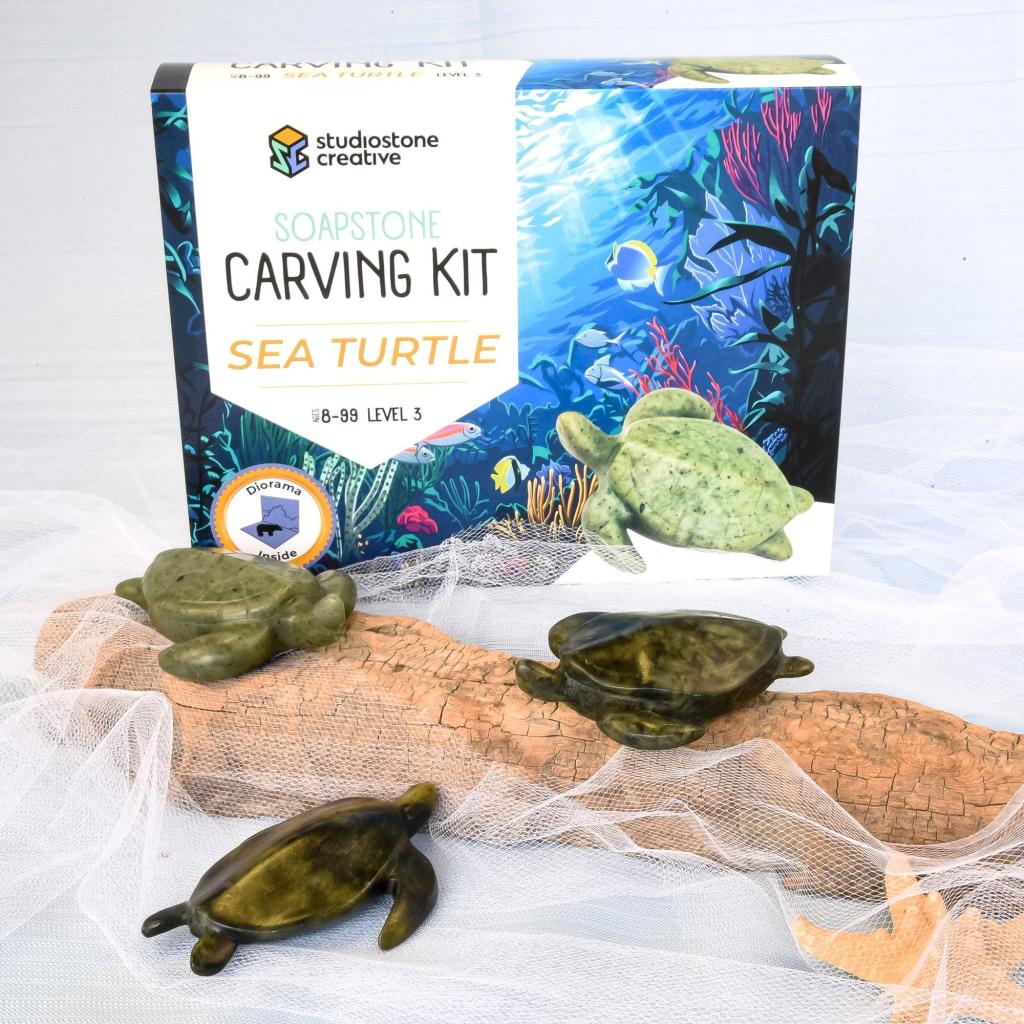
As a homeschool mom and educator, I appreciate projects that give children a chance to slow down, work with their hands, and explore something new. The Sea Turtle Soapstone Carving Kit from Timberdoodle Co. offers an introduction to sculpture with a keepsake to display when the work is finished.
What’s inside?
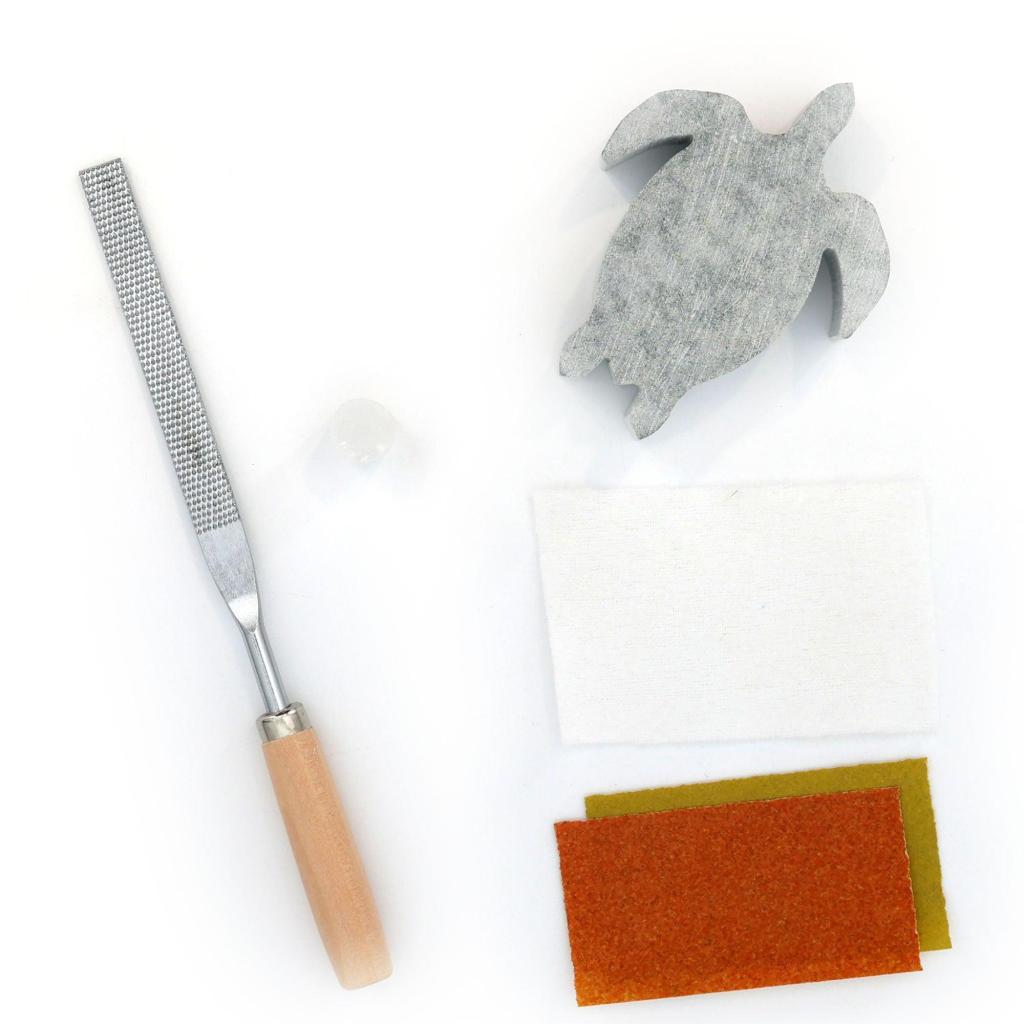
The kit includes soapstone for the sea turtle project, a carving file, sandpaper, polishing materials, and step-by-step instructions. Students work through the stages of shaping, smoothing, and polishing the stone, gradually refining their turtle’s form. The final polishing brings out the stone’s natural color and gives the sculpture a smooth finish.
The process is part of the learning. Each stroke of the file removes a little material, giving students opportunities to observe their progress and decide where to work next. It’s an activity that rewards careful attention and steady effort.
A creative addition to homeschool
This kit is included in the 4th Grade Timberdoodle Curriculum Kit, and I can see several ways to build a lesson around it. Pair the carving with sea turtle research, a discussion of ocean conservation, or an exploration of soapstone and its properties. Students could also photograph each stage and write a short explanation of how they created their sculpture.
From an educator’s perspective, the activity offers practice with fine motor control, following a sequence, and perseverance. Students also make artistic choices as they refine the shape and decide how smooth they want their finished turtle to be.
Not just for kids!
Although it’s included in a fourth-grade curriculum, this kit has appeal well beyond elementary school. It’s a great kit for adults, too! Working with real stone offers an interesting creative challenge, whether you’re a teen, a parent joining homeschool art time, or an adult looking for a hands-on hobby.
It also makes a wonderful gift. Give the unopened kit to someone who enjoys crafts, turtles, or trying something new or give a finished carving as a personal, handmade keepsake.
My suggestion is to allow plenty of time and enjoy each stage. This is a project to approach patiently, with room for breaks along the way. For families looking to explore a different art medium together, the Sea Turtle Soapstone Carving Kit offers creativity, learning, and something special to keep.
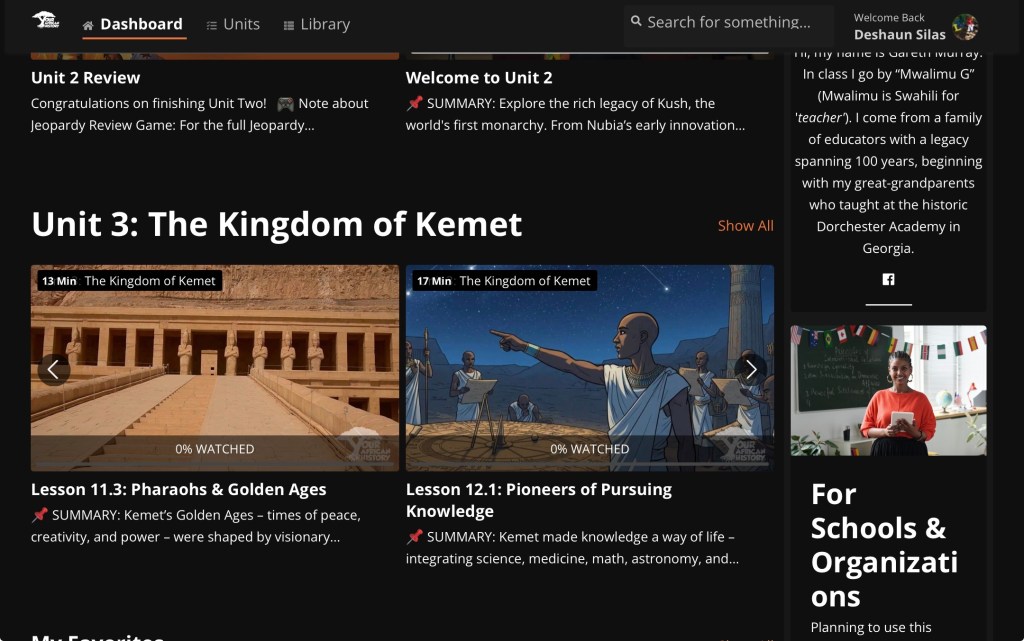
I am so glad resources like Your African History exist for students like my high schooler. This year, we are studying World History, and if you have been homeschooling for any length of time, you probably know that sometimes even the curriculum you carefully select will leave you searching for more. Not necessarily because the curriculum is bad, but because you realize your student needs another perspective. That moment happened for us while my son was reading one of his required history book about the pharaohs of ancient Egypt. After reading for a while, he came to me and said, “Mom, this book is informative, but it is telling the history of the pharaohs of Egypt kings from one perspective.”
And there it was.
He noticed it on his own.
Screenshot
We have become accustomed to moments like this throughout our homeschool journey. When something feels incomplete, we do what we have always done we pivot. We research. We add another source. We ask more questions. We look at who is telling the story, whose voices are included, and whose voices may be missing. Thankfully, this year we did not have to pivot very far because we already had one of our favorite resources in our homeschool arsenal: Your African History. I have talked about Your African History several times on my social platforms because it has become such a valuable resource for our family. We even continued using it over the summer. Eventually, I made the decision to stop not because my son was tired of it, but because I wanted us to have something exciting to return to during the school year.
Screenshot
My son loves history. But more importantly, he wants history that encourages him to dig deeper. He wants to know what happened, why it happened, who benefited, whose perspective is being presented, and how the past connects to what we see today. As he has gotten older, I have watched him move from simply learning historical facts to questioning historical narratives. That is exactly where I believe high school history should take our students.
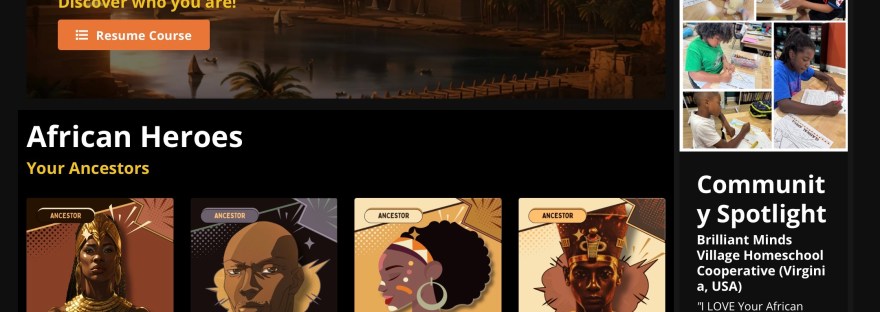
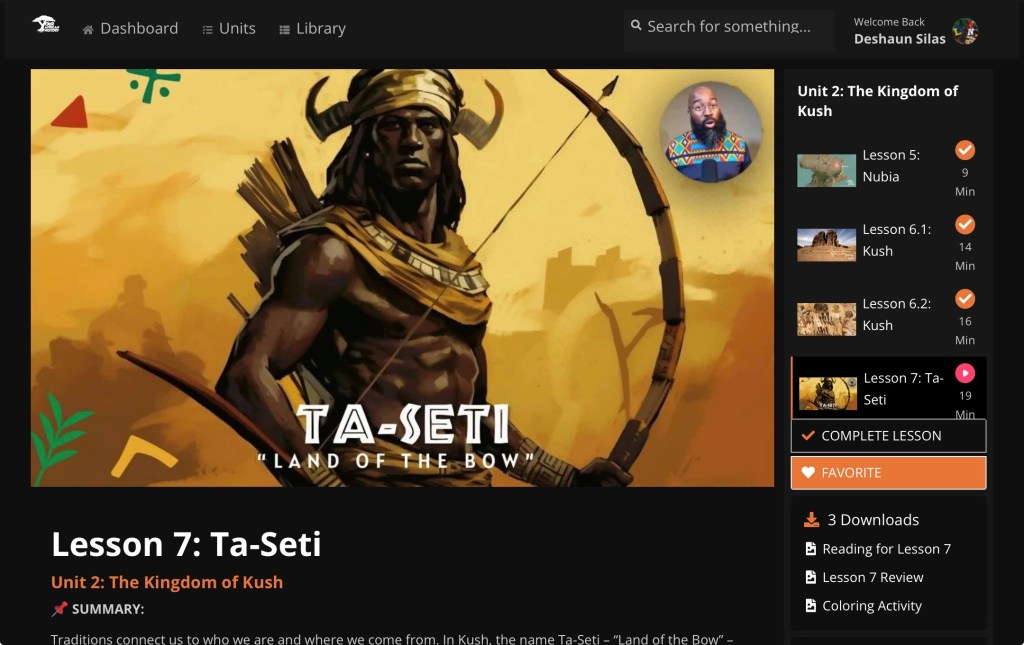
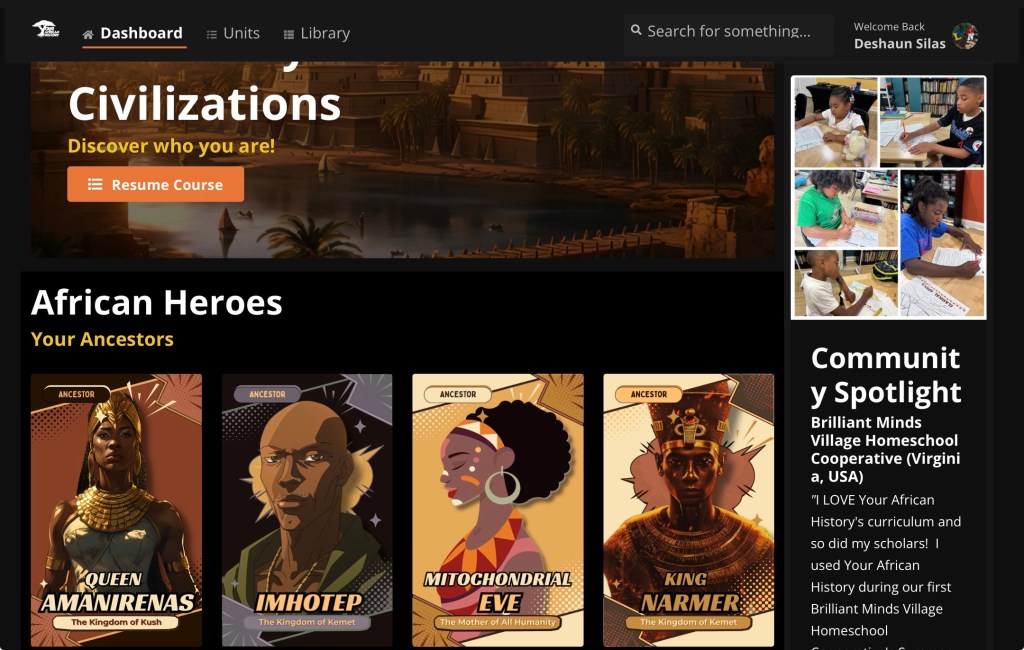
Your African History is an online educational platform centered on African history, culture, people, civilizations, and their influence on the world. It gives students an opportunity to explore African history through engaging lessons, storytelling, characters, visuals, and interactive learning experiences. Instead of treating Africa as a brief chapter within a much larger world history story, the platform gives students space to explore the depth and complexity of African history itself.
Designed to Grow With Your Student
Another thing I appreciate about Your African History is that this is not a resource students are expected to rush through in a few weeks. The course is designed to be completed over the course of one year and is geared toward students in grades 3–12, which gives families a lot of flexibility in how they incorporate it into their homeschool.
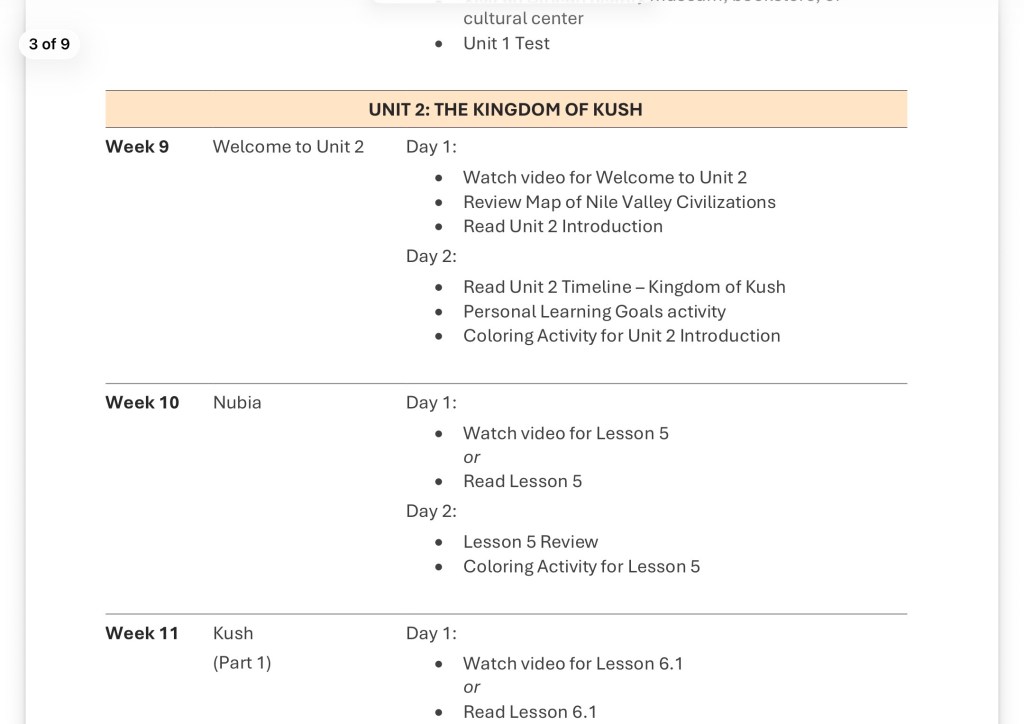
The program comes with a detailed syllabus and lesson-plan schedule, and there are several scheduling options for families to choose from. I really appreciate this because every homeschool does not operate the same way, and every family may not want to use the program at the same pace. In our homeschool, we typically follow the one-day-a-week schedule, allowing Your African History to complement the World History curriculum my son is already completing. Sometimes, depending on what we are studying or how deeply we want to explore a topic, I switch to the two-day-a-week schedule. Having those options allows me to use the program intentionally without making my high schooler feel as though I am simply piling another full history course onto his workload.
Screenshot
For high school especially, I love having that flexibility. I can look at what we are covering in our primary World History curriculum and strategically bring in Your African History where it adds another perspective, expands the discussion, or gives my son an opportunity to investigate a topic more deeply. Some weeks that means one lesson; other weeks we may spend two days with the platform because what we are learning connects so well with our current studies. It works with our homeschool instead of requiring our homeschool to work around it.
Recently, the platform received a beautiful upgrade. The new characters are visually engaging, the platform feels fresh and inviting, and there are even more features for students to explore. Even though my son is now working at the high school level, it does not feel like something he has outgrown. Over the last few weeks, he has genuinely enjoyed working through the platform alongside his World History curriculum. And that “alongside” part is important.
We are not throwing away our World History books every time we encounter a perspective we want to investigate further. We are learning how to place resources beside one another. My son can read his assigned textbook or historical book and then use Your African History to explore additional context and perspectives. From there, we can discuss the differences, research questions that arise, and determine what additional primary and secondary sources we may need.
That is high school learning.
For me, Your African History is about much more than learning the names of ancient civilizations, kings, queens, empires, and historical events. It creates opportunities for students to examine how they think about African history in the first place. Too often, African history is reduced to slavery, colonization, poverty, or struggle. When that becomes the primary framework through which children encounter Africa, they can miss thousands of years of civilization, scholarship, innovation, trade, government, architecture, culture, resistance, intellectual traditions, and human achievement.
Screenshot
I also think about what happens when Black and brown history becomes less visible in what children encounter. What will future generations know about the people who came before them if we do not intentionally preserve, study, question, and discuss these histories?
That is why resources like this matter to me.
Whether your child is homeschooled or attends a traditional school, having access to additional historical resources can help them become a more thoughtful student of history. Our children should know how to encounter a historical claim and ask, What is the evidence? Who is telling this story? Is there another perspective? What sources support this interpretation? What happened before this event? And how does this history connect to the world I live in today?
Those are skills that extend far beyond a history course.
What Your African History Adds to Our High School Studies
A broader lens on African history that allows us to explore people, civilizations, events, and ideas that may receive limited attention in a traditional World History resource.
Critical-thinking opportunities that encourage my son to question, compare, investigate, and examine what he has previously learned.
Connections between the past and present, helping him understand that history is not a collection of isolated events but a story whose effects continue across generations.
Conversations about stereotypes and historical narratives, including where certain ideas about Africa originated and how those ideas have been repeated.
Growth mindset, confidence, and empowerment, because there is something powerful about young people encountering histories that expand their understanding of what people who look like them have contributed to the world.
A natural companion to our World History curriculum, giving us another resource to place beside textbooks, literature, documentaries, maps, primary sources, and other historical materials.
One of the additions I have especially enjoyed is Jamal’s story. To me, it feels like a call to action for young scholars. It pushes students beyond simply receiving information and toward becoming active participants in their own education. That is something I want my son to carry with him throughout high school and eventually into college: the confidence to read, question, investigate, and think for himself.
At the high school level, I do not want him to believe something simply because it appears in a textbook and I do not want him to automatically believe something simply because it appears on an alternative educational platform either. I want him to develop the skills to examine sources, compare perspectives, recognize bias, look for evidence, and form thoughtful conclusions. That is one of the greatest benefits I see in incorporating Your African History into our homeschool. Our goal is not just to finish a World History course and put another credit on his transcript. Most of all, I want him to understand that learning history comes with a responsibility.
A responsibility to ask questions.
A responsibility to seek evidence.
A responsibility to listen for voices that may have been overlooked.
A responsibility to challenge stereotypes without replacing them with new assumptions.
And a responsibility to keep learning.
One day, our children will be the adults responsible for teaching the next generation what came before them. I want my son to enter that future knowing that his history—and the history of people across the African continent and throughout the African diaspora is worthy of serious study, thoughtful discussion, and preservation.
That is why Your African History is not just another online resource sitting in our homeschool toolbox. For us, it has become part of how we teach our high schooler to approach history itself: read deeply, question thoughtfully, compare perspectives, search for evidence, make connections, and never stop learning simply because the textbook reached the end of the chapter.
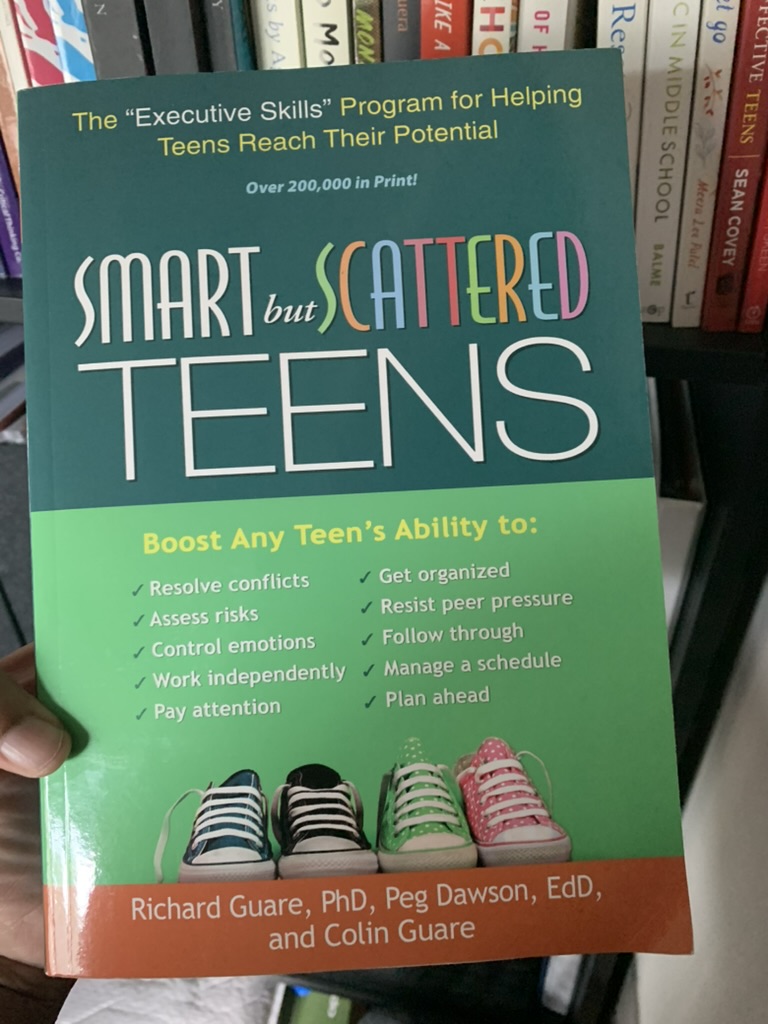
Homeschooling high school is a whole new level of homeschooling.
And I don’t think we talk enough about the anxiety that can come with it for the student and the parent.
When I started planning this school year, I thought I had it all together. I had mapped things out. We had the curriculum. We had the classes. I had researched credits, electives, future plans, and all the things homeschool moms convince ourselves we need to have figured out before high school begins. I was READY. Or at least I thought I was. What I wasn’t prepared for was how much he would change.
Even School Supply Shopping Was Different
I should have known something had shifted when we went school supply shopping. School supply shopping has always been one of those little homeschool traditions. New notebooks, pens, folders, highlighters you know, all the unnecessary school supply glitz that some of us homeschool moms get way too excited about. My son? Completely unbothered. We walked into Target, and he casually looked through the notebooks. He found one notebook he liked. Great. Then he picked up another one. And another. And another. This child bought six of the exact same notebook with the exact same cover. Meanwhile, my Type A personality was internally screaming. How are you going to know which notebook is for which subject?
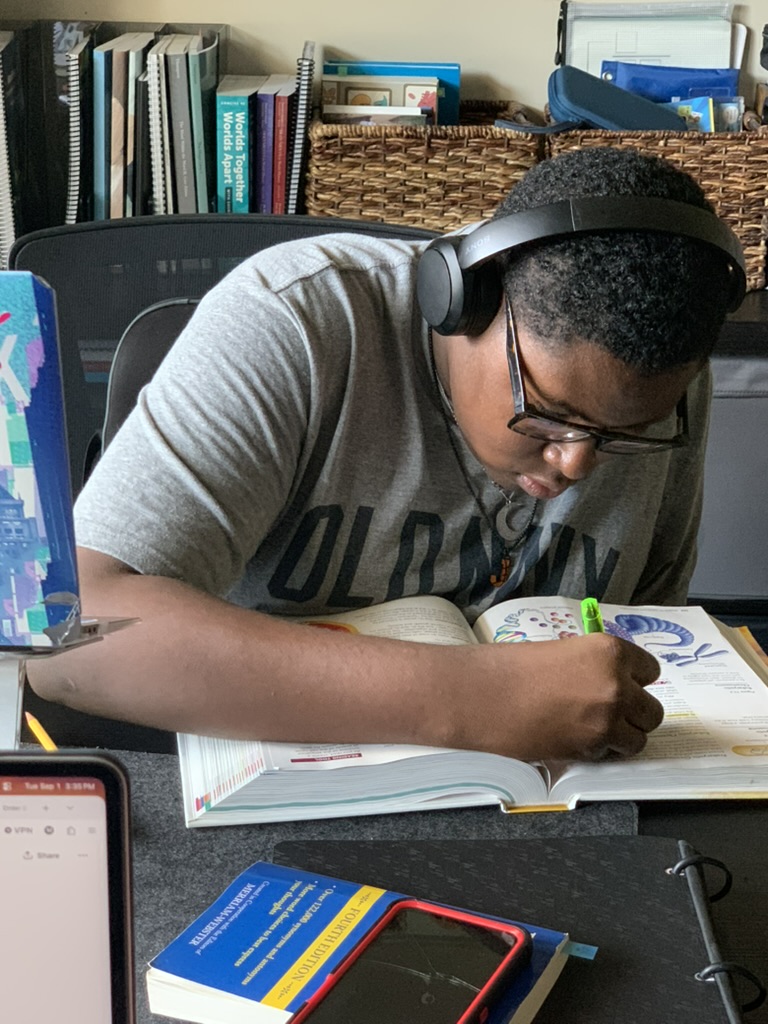
In my mind, math needed one color, biology another, history another, English another. There needed to be a SYSTEM. He wasn’t concerned. And you know what? He figured it out. Then came the Great Highlighter Battle of 2026. We seriously went through four different brands before he finally decided that BIC Brite Liners were the highlighters. Apparently, high school requires very specific highlighting technology. But those little moments were showing me something bigger. He was developing his own preferences, systems, and ways of doing things. And I needed to let him.
The Independence Happened Almost Overnight
The biggest thing I wasn’t prepared for was the super independence. It honestly felt like it happened overnight. We went from being a homeschool team to him becoming a solo act. For years, homeschooling meant that I was right there teaching, planning, explaining, checking, redirecting, researching, and organizing. Now? He mainly needs me to help organize his curriculum, map out his lesson plans, and make sure the bigger picture makes sense. Then he takes it from there. That has been one of the biggest adjustments for me as a homeschool mom. But I’m realizing that this is something we’ve been working toward all these years.
High School Changed the Plan Too
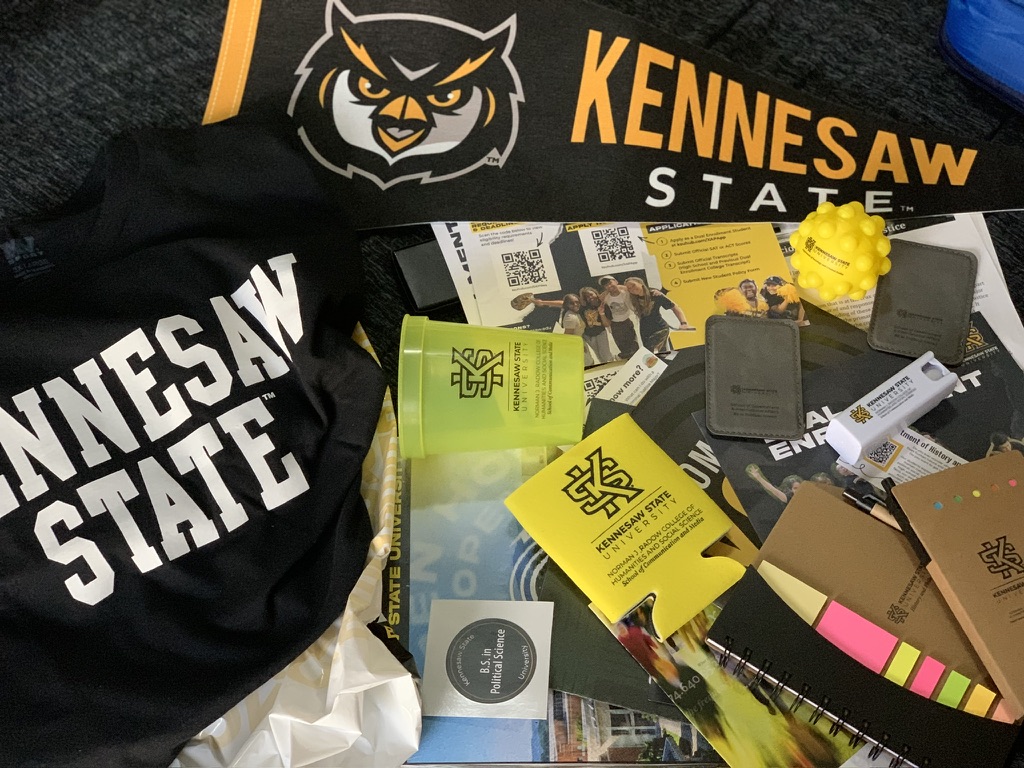
His classes have changed this year as well. Over the summer he completed a lot of his freshman high school credits. Math credits for high school are almost complete, so his next stop for math in 2027 is college math credits. He decided to begin dual enrollment with ASU and is taking additional elective classes online. Suddenly, our homeschool isn’t contained within the curriculum I selected. His education is expanding, and he’s beginning to make decisions about what he wants his high school years to look like. Even his graduation timeline changed. He has decided that he may graduate in 2030 or 2031, based partly on his age and his desire to take full advantage of the educational funding opportunities available through our state. His goal is to graduate from high school with an associate degree. And here’s the thing:
That was his decision.
I can help him research. I can help him understand credits. I can help him look at requirements and long-term goals.
But the final picture is becoming his to create.
Then Music Came Out of Nowhere
This summer, he had another explosion of creativity that completely shocked his dad and me. He started producing music and songwriting. Now, this is a kid who literally grew up around music. His dad is a music producer. He has grown up seeing equipment, hearing sessions, and being around an in-home studio. And for years? Very little interest. Then one day, he asked his dad if he could play something he had been working on. His dad loaded the song into the studio. We listened. And then his dad and I looked at each other.
Where did THIS come from?
The kid who had grown up in the studio but showed very little interest in music production had composed and produced a song that sounded like something we could actually hear on the radio. Suddenly, music wasn’t just something his dad did. It was his. His newfound love for music production and songwriting has now become one of his passion projects, right alongside the novel he has been writing. And this is where my training as a Montessori educator came full circle:
Follow the child.
I’ve said those words for years. Now I’m having to live them in a completely different way. Following the child when they’re little may mean noticing that they’re fascinated by dinosaurs and building learning opportunities around that interest. Following the child as a teenager may mean making room for interests you never planned and recognizing that some of the most meaningful learning may happen outside the curriculum you carefully selected.
So…What Does the Homeschool Mom Do Now?
That has been my question. What does a homeschool mom do when her student has taken the reins of about 80% of his homeschool journey? I’ve realized that my job didn’t disappear. My job changed. I’m spending less time hovering over assignments and more time preparing him for life. I have stepped into a new role college counselor and life coach. These days, our lessons together look different. We’re working on cooking, paying bills, making appointments, filling out forms, managing schedules, communicating with adults, and handling responsibilities. But I’m also becoming much more intentional about our relationship.
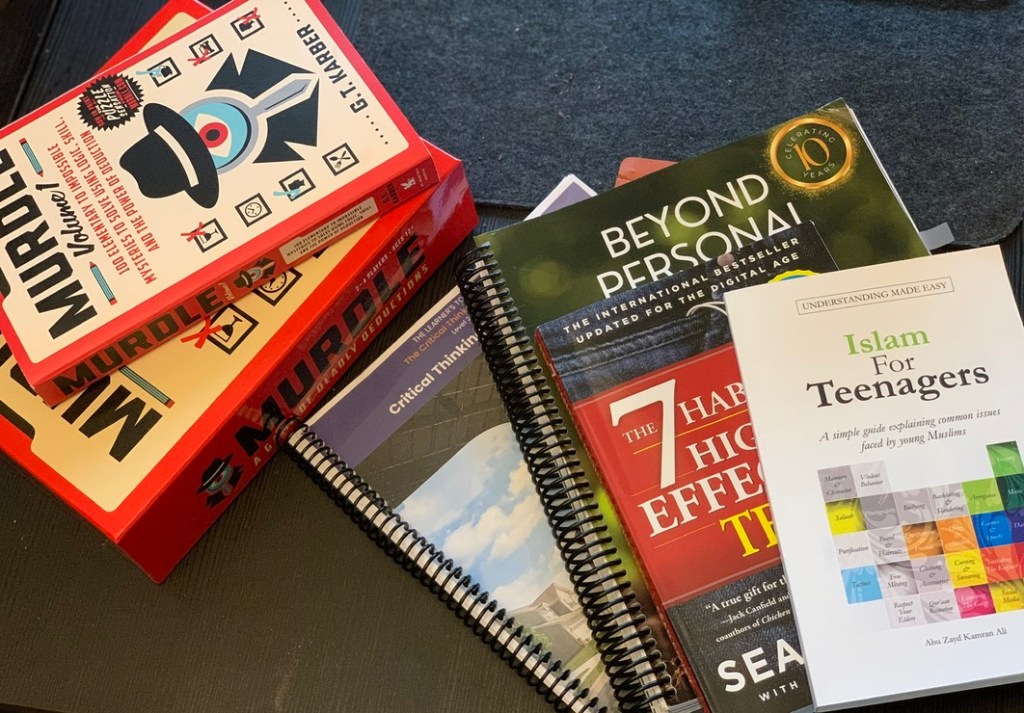
We are reading more books together and discussing them. We’re talking about growth mindset, confidence, character, and self-esteem. Gameschooling has come back to the forefront in our house because sometimes sitting across from your teenager laughing over a game creates opportunities for conversations that would never happen if you simply sat him down and said, “We need to talk.”
I’m prioritizing family time and making memories. We’re having conversations about self-awareness, friendships, relationships, peer pressure, boundaries, decision-making, and safety when he’s out without us. We’re giving him room to experience more of the world while still having home as a place to come back to for guidance. Even his bedroom is changing. He recently asked us to update his room so that it feels more like a teenager’s space. Instead of me deciding what looks good, we’re getting his ideas and slowly making purchases based on the environment he wants to create.
It’s another small reminder to follow the child.
And Then There Is the Social Calendar!
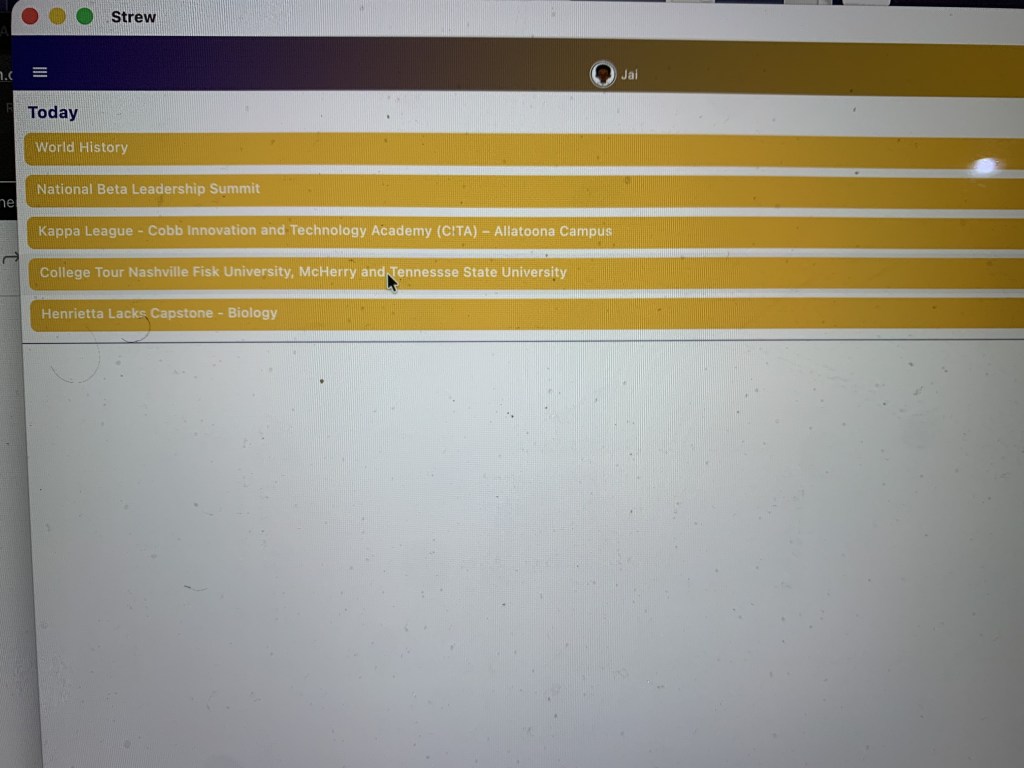
Apparently, teenagers have places to be. His social calendar is absolutely off the chain these days. Between his homeschool co-op teen group, National Beta, National Honor Society, Kappa League, friends, classes, projects, and activities, this kid has a fuller calendar than some adults I know. But I love seeing it. One of the concerns people sometimes have about homeschooling through high school is whether homeschooled teens will have enough opportunities for friendships, leadership, activities, and community. Our experience has been the opposite. As he’s gotten older, his world has actually gotten bigger.
What I’m Learning About Homeschooling High School
If you’re entering the high school years, here’s what I’m learning along the way:
Your role is supposed to change. You may move from teacher to advisor, mentor, planner, chauffeur, sounding board, and safe place. That doesn’t mean you’re less important.
Give them ownership. Let them choose some courses, electives, supplies, organizational systems, projects, and goals. Even if their system makes your Type A personality twitch a little.
Teach life alongside academics. Transcripts matter, but so do scheduling appointments, managing money, cooking, communicating professionally, solving problems, meeting deadlines, filling out forms, and knowing how to advocate for themselves.
Make room for unexpected passions. The thing your teenager becomes passionate about may not be anywhere on the curriculum map you created. Leave room for it anyway.
Don’t confuse independence with disconnection. They may not need you sitting beside them for every lesson anymore, but they still need connection, conversation, guidance, boundaries, and a safe place to land.
Keep reevaluating the plan. High school doesn’t have to be four rigid years mapped out before ninth grade begins. Goals change. Interests change. Opportunities appear. The plan can change too.
Protect your relationship. It can be easy for high school to become all about credits, grades, transcripts, college, dual enrollment, and what’s next. Your relationship with your teenager matters too.
Let them practice adulthood while the stakes are still lower. Let them make the phone call, schedule the appointment, manage the deadline, communicate with the instructor, organize their calendar, and even make a few mistakes while you’re still close enough to help them figure out what to do next.
What I’m Holding Onto
As the academic side of homeschooling changes, I’ve found myself becoming even more intentional about the things that keep us connected. I want us to keep reading books together and having conversations about them. I want him to be able to bring ideas to me, challenge my thinking, ask questions, disagree respectfully, and know that our home is a place where we can talk about hard things. I want to keep gameschooling too. Not everything valuable needs a grade, transcript entry, or credit attached to it. Sometimes the lesson is simply sitting around the table laughing together. I want life skills to become an even bigger part of our homeschool because my goal isn’t simply to raise a teenager who can graduate. I want to raise a young man who can function confidently in the world.
I also want to protect space for his passion projects. Music production, songwriting, writing his novel, and whatever else catches fire along the way deserve room in his education. Those things may not have been part of my original high school plan, but they may become some of the most important parts of his. Most importantly, I’m choosing connection over completion more often. There will always be another assignment, another lesson, another box to check. But I won’t always have a teenager sitting at my kitchen table.
The Part Nobody Warns You About
I’m incredibly proud to see all of our hard work beginning to come together. But I’d be lying if I said it wasn’t a little bittersweet. When you’re homeschooling a little one, the days can feel so long. You wonder whether they’re ever going to read independently. You wonder whether they’ll ever stop needing you to explain every math problem. You wonder whether you’ll ever be able to say, “Go do your schoolwork,” and have them actually go do it.
And then one day…
They do.
The child who once needed you beside him for nearly everything suddenly has a calendar, goals, classes, organizations, friends, projects, ideas, and plans of his own. And you realize that the homeschool journey you’ve spent years building is beginning to do exactly what it was supposed to do.
It’s preparing him for what comes next.
That realization is beautiful.
And hard.
And exciting.
And bittersweet.
So yes, high school homeschooling looks very different around here. There are six identical notebooks. There are very specific BIC Brite Liners. There are dual-enrollment classes, music sessions, a novel in progress, leadership organizations, friends, a packed social calendar, and plans for the future that I couldn’t have completely mapped out even if I tried. And maybe that’s exactly how it’s supposed to be. Because after all these years of homeschooling, I’m finally understanding another side of “follow the child.” When they’re little, following the child often means discovering how they learn. As they grow, it becomes making space for them to discover who they are. We’re not finished yet. There are still lessons to teach, credits to earn, conversations to have, mistakes to make, and memories to create.
But the view from here is changing.
And while part of me wants to slow everything down, another part of me looks at the young man emerging in front of us and thinks: This is what we were working toward all along.
One thing about our homeschool you are always going to find games mixed in with our academics! I am a big believer that learning does not always have to come from a textbook, worksheet, or computer screen. Sometimes some of the BEST learning happens when you pull out a game, sit around the table, and let the kids think, talk, problem-solve, and have fun.
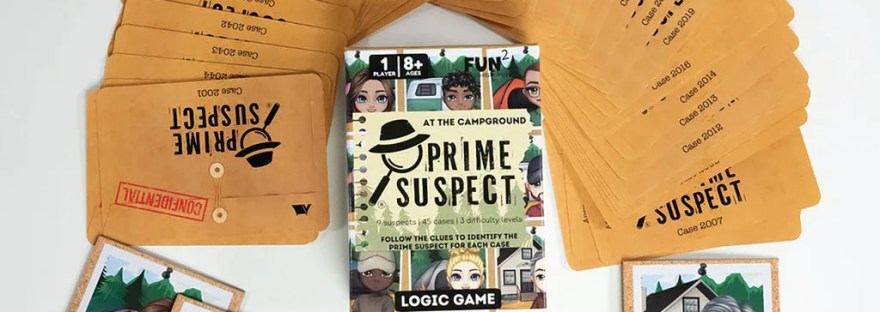
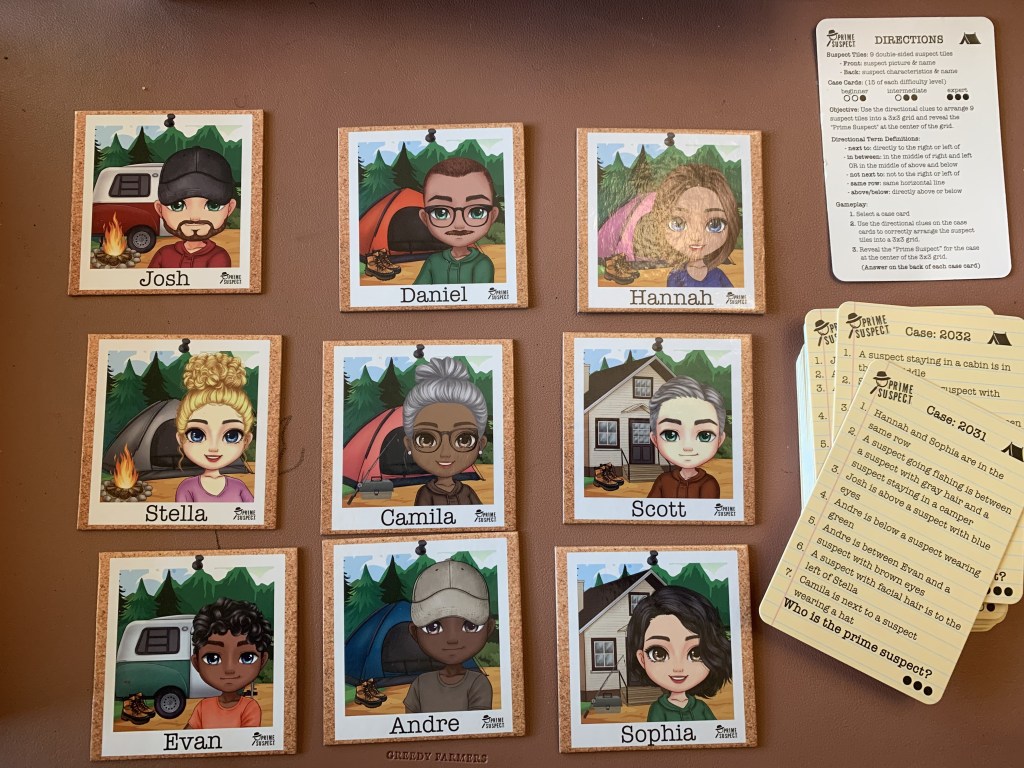
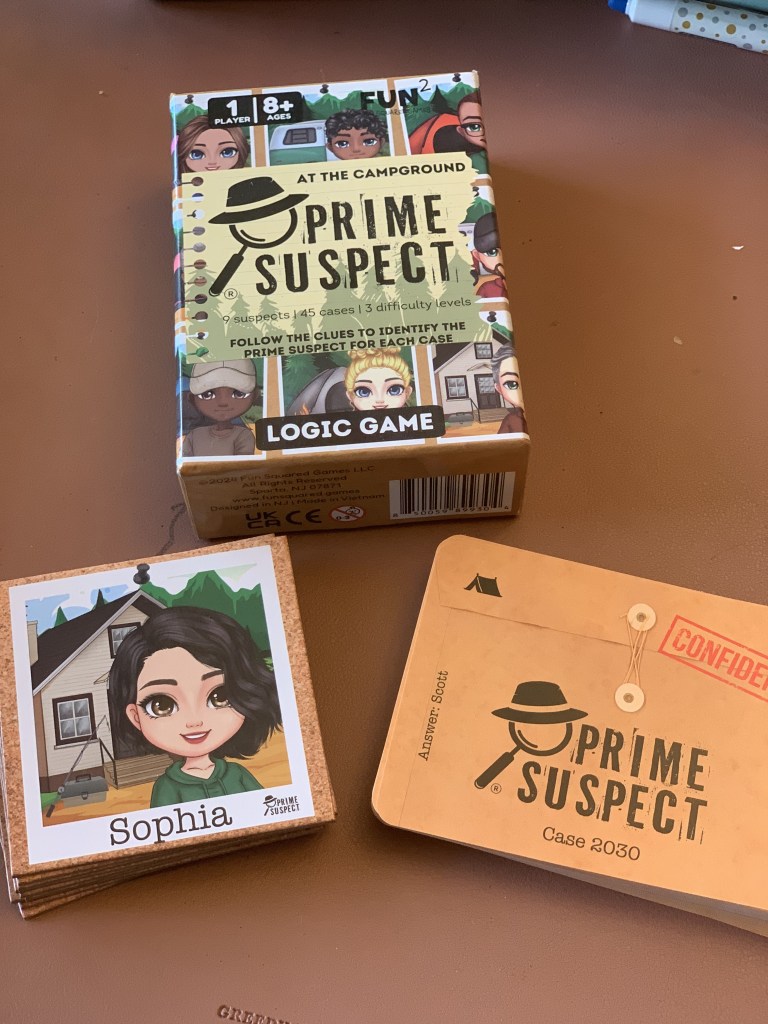
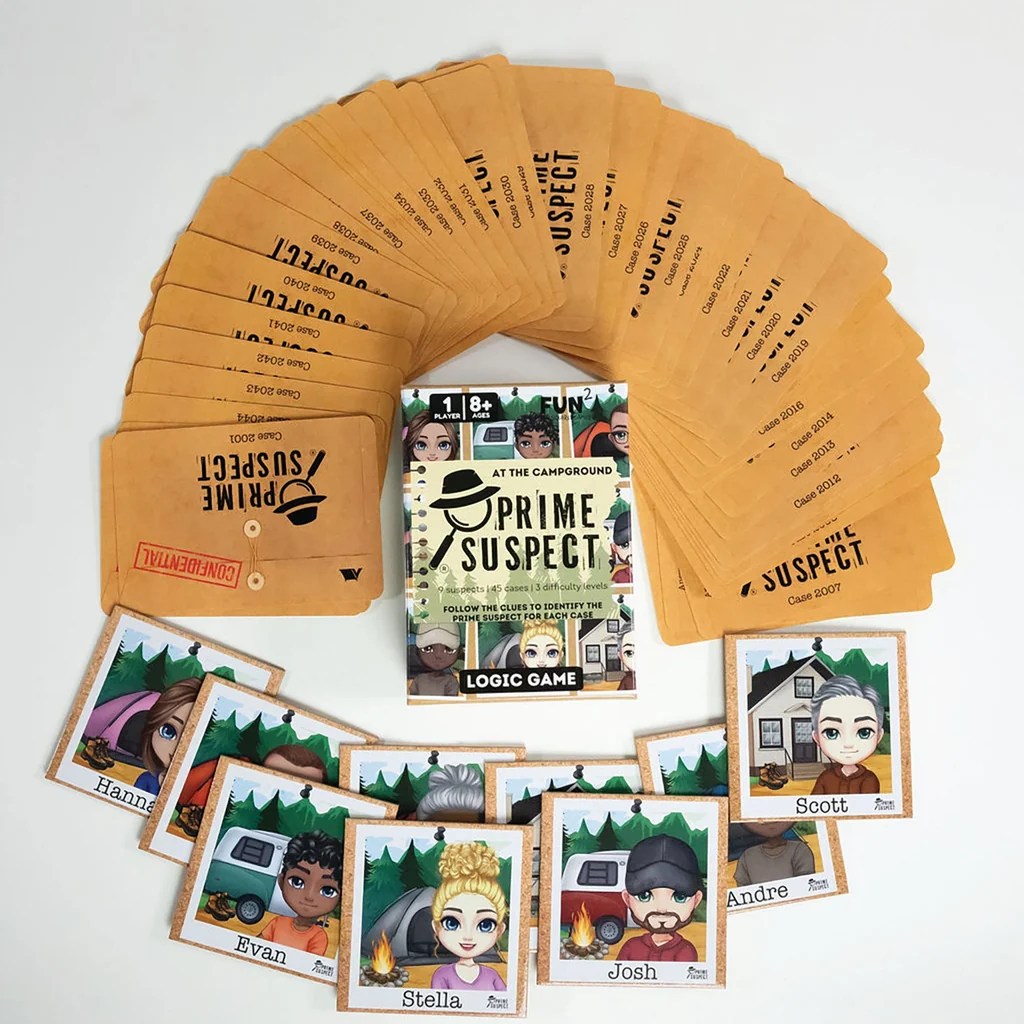
We recently pulled out Prime Suspect: At the Campground, and this is such a cool logic game to add to your homeschool, especially if you have middle or high schoolers. It combines mystery, logic, critical thinking, and deductive reasoning in a way that feels more like you are trying to solve a case than completing a school assignment.
The whole idea is to pay attention to the clues, think through the information you have been given, eliminate possibilities, and use your reasoning skills to figure out the prime suspect. I really like games like this because our kids are doing so much more than simply playing. They have to slow down, pay attention to details, make connections, question their first assumptions, and actually explain how they arrived at their answer.
This is definitely one I would put in a Morning Basket for older students. Morning Basket does not have to stop just because your kids get older! You simply have to change what you put in it. Instead of everything being a read-aloud or traditional morning work, add some logic games, critical-thinking activities, puzzles, current events, conversation cards, or other things that get their brains working. Something like Prime Suspect is a fun way to start the homeschool day without immediately saying, “Okay, pull out your math book!”
I also really like this one as a brain break between heavier subjects. After Algebra, Biology, History, writing, or a long reading assignment, sometimes our kids need to step away for a minute. But a brain break does not always mean turning on a screen or completely checking out. Sometimes it can simply mean using a different part of the brain. Pull out a logic game for 15–20 minutes, solve a mystery, laugh a little, and then get back to the school day.
For middle and high schoolers, these types of games are especially valuable because we want our older kids learning HOW to think, not just memorizing information. They need opportunities to analyze evidence, recognize patterns, eliminate possibilities, defend their reasoning, and change their conclusions when new information doesn’t support what they originally thought. Those are skills that carry over into math, science, literature, writing, research, debate, and everyday life.
And don’t put this one away when the homeschool day is over! I think this would also make a fun family game night addition. When parents and teens play logic games together, you naturally get conversation going. Everybody is sharing what they noticed, challenging each other’s conclusions, trying to figure out who saw something everyone else missed, and probably getting a little competitive along the way. That is one of the reasons I love gameschooling so much it brings learning and family time together without everything having to feel academic.
Another cool thing about Prime Suspect: At the Campground is that it was included in the Timberdoodle Co. 6th Grade Curriculum Kit. I really appreciate curriculum companies recognizing that logic and critical thinking deserve a place in our homeschool right alongside our traditional subjects. This is what I love about homeschooling. We have the freedom to say, “We’re going to work on critical thinking today,” and that lesson might happen with a pencil and paper, or it might happen sitting around the table trying to solve a mystery.
Prime Suspect: At the Campground can be Morning Basket. It can be a brain break. It can be logic and critical-thinking practice. It can be gameschooling. It can be family game night. And sometimes the kids don’t even realize how much learning is happening because, to them, we’re just playing a game.
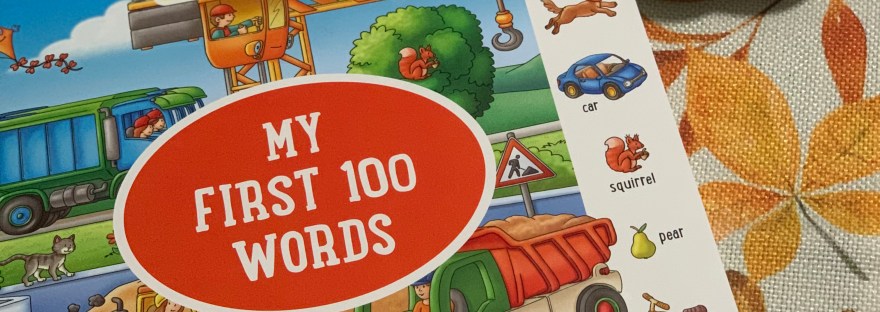
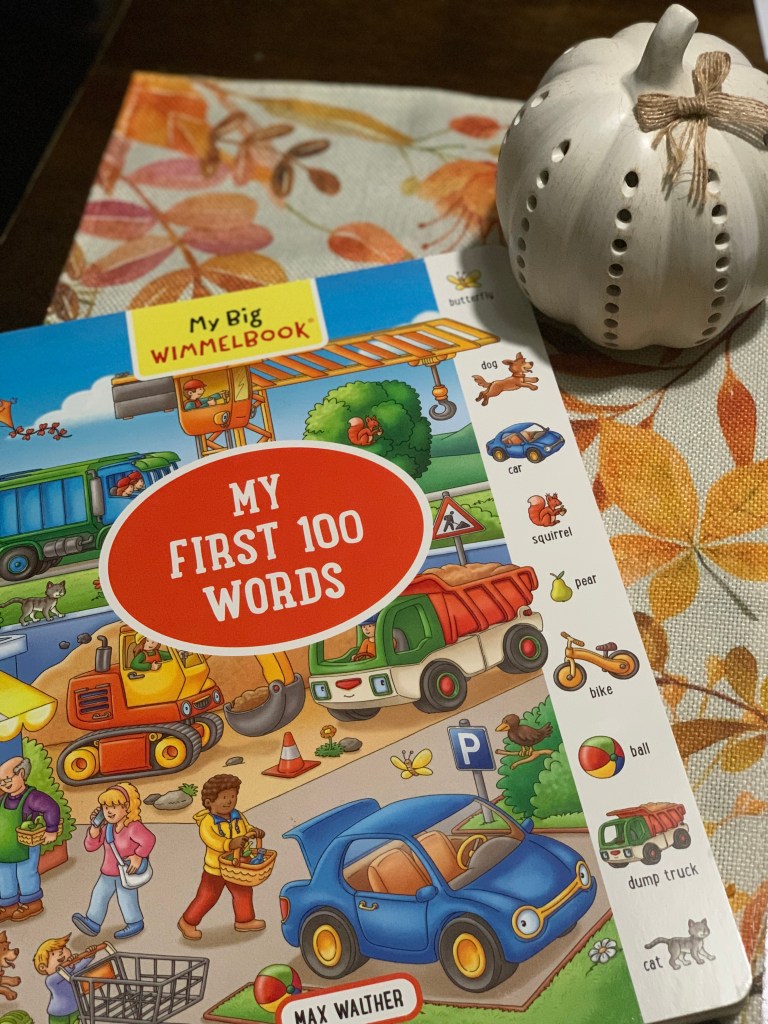
There is something so special about building a child’s very first library. As we continue adding quality books to the newest little one in our extended family’s collection, I’m trying to choose books that he can enjoy now but also continue growing with over the next few years. With him turning one this past July, My First 100 Words Wimmelbook is the perfect stepping stone for helping him build his vocabulary while beginning to make real-world connections between pictures, words, and the things he sees around him every day.
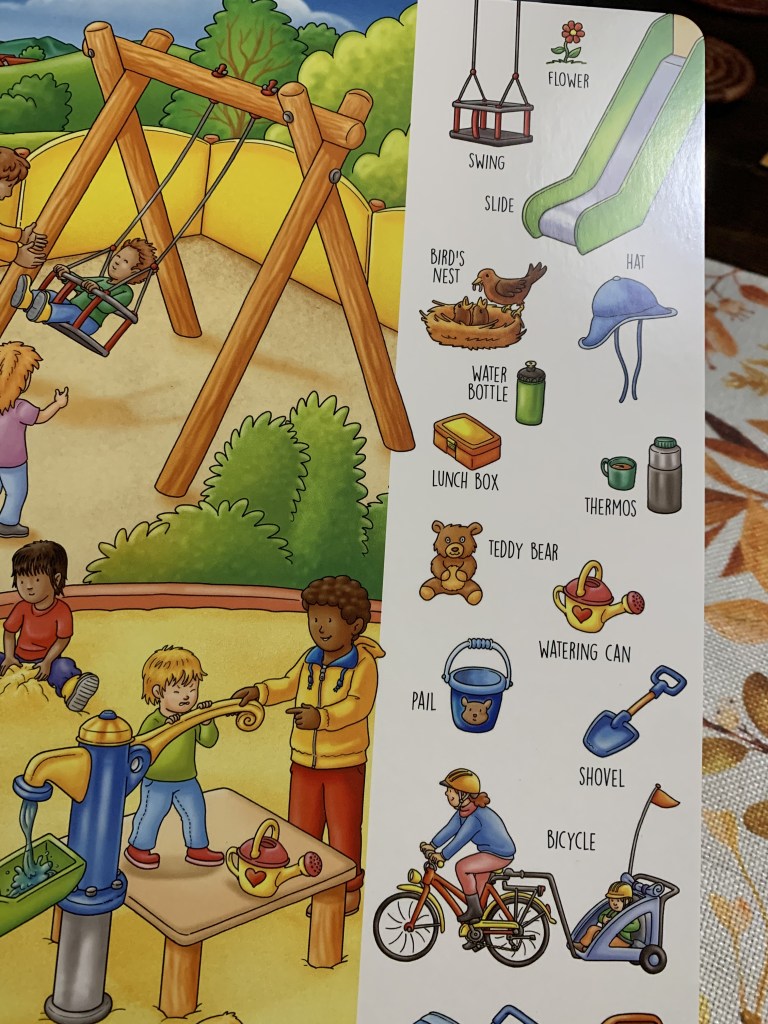
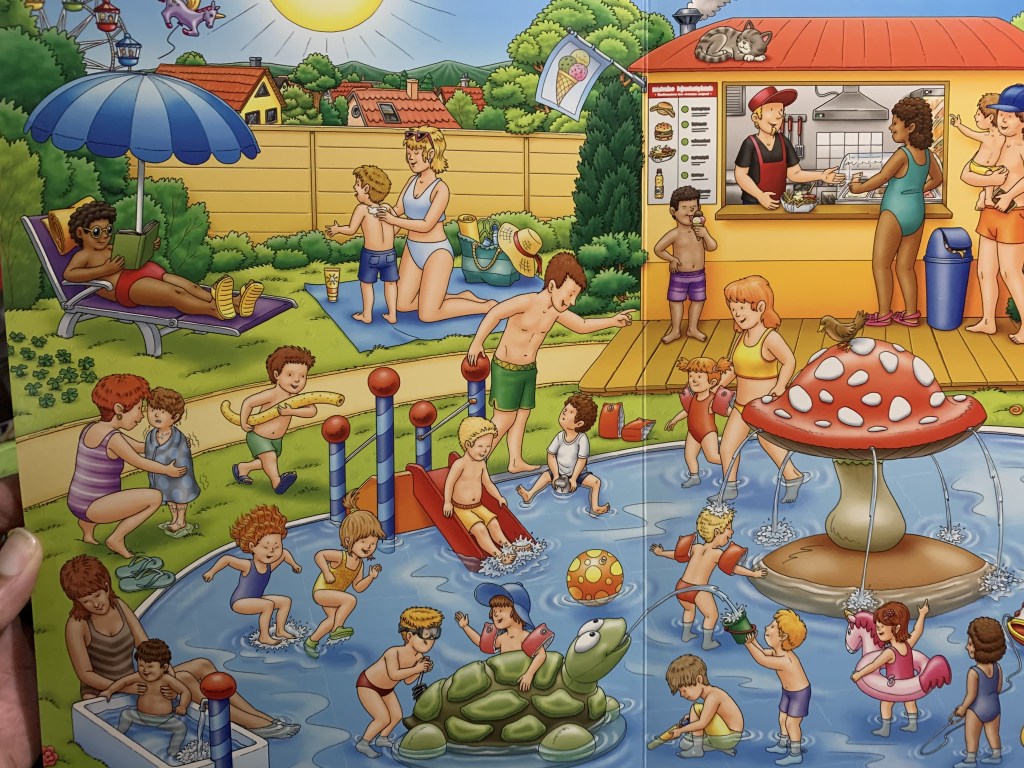
What I really like about this book is that it goes beyond simply showing a picture with a word underneath it. Wimmelbooks are known for their busy, detailed illustrations, giving little ones plenty to look at, point to, and discover. My First 100 Words introduces young readers to familiar objects and vocabulary through colorful scenes that encourage them to slow down and explore the pages.
At this age, we aren’t worried about him memorizing 100 words. Instead, this is a book we can use naturally throughout the day. We can point to an object, say its name, talk about its color or what it does, and then help him recognize that same object when he encounters it in real life. Those simple interactions are wonderful for building early vocabulary, observation skills, and language development.
I also love that this is the type of book that can grow along with him. Right now, reading together may mean pointing, naming objects, making sounds, and letting him explore the illustrations. As he gets older, we can begin asking questions like, “Can you find the ball?” “Where is the dog?” or “What do you see? Eventually, he can start naming objects independently and even using the pictures to create his own little stories.
That makes it much more than a one-and-done baby book. As we build his family library, I want it filled with quality books that encourage curiosity, conversation, and a genuine love of books from the very beginning. My First 100 Words Wimmelbook fits beautifully into that goal.
For our newest one-year-old reader, this has been such a sweet addition to his growing library and I have a feeling this is one we will be pulling off the shelf again and again.
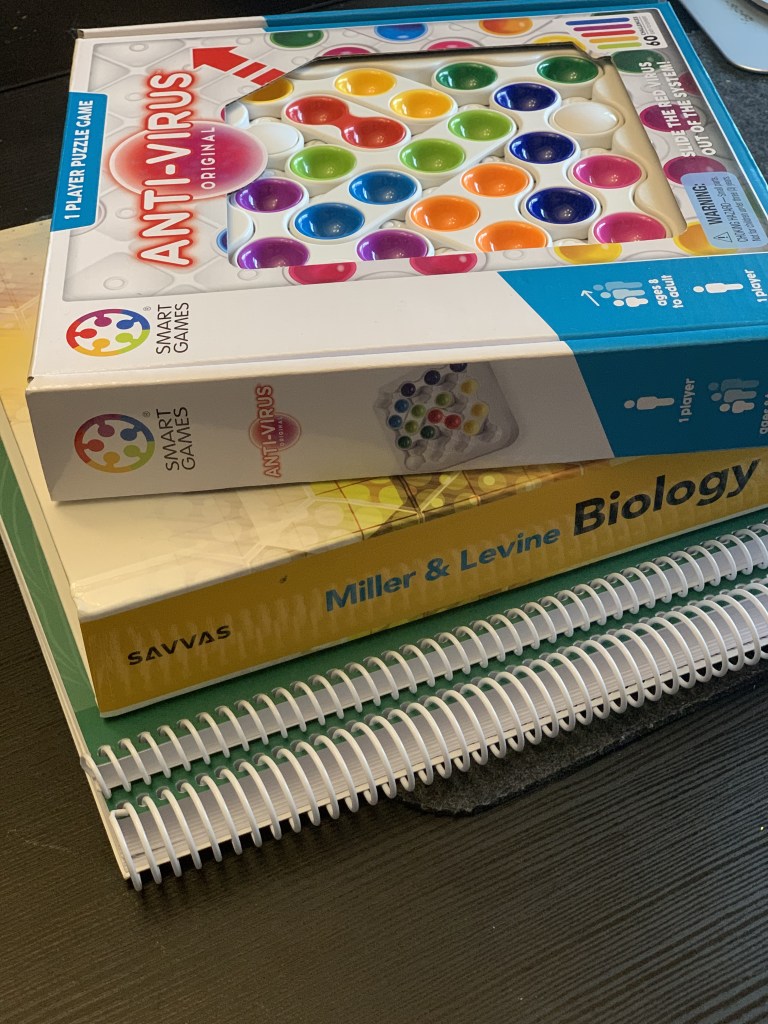
This is part 2 of our 3-part blog series on Logic & Critical Thinking Games for High Schoolers, and this time we’re talking about SmartGames Anti-Virus. I have to start by saying I REALLY like this game! This has become one of those games that everyone in our family seems to fight over who gets to play next.
How Does SmartGames Anti-Virus Work?
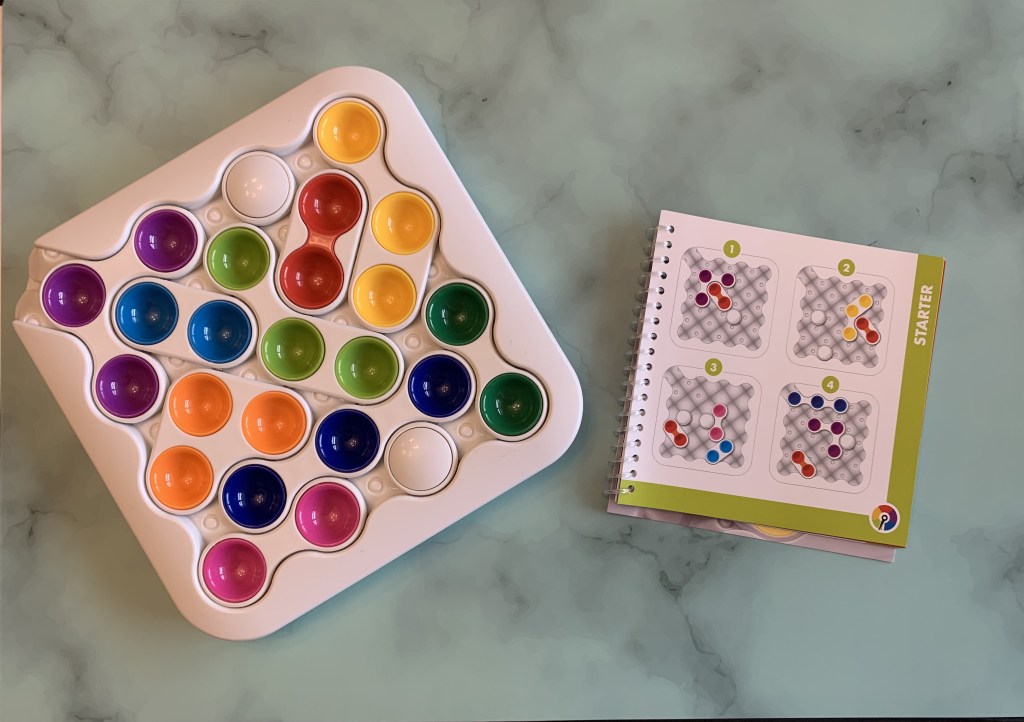
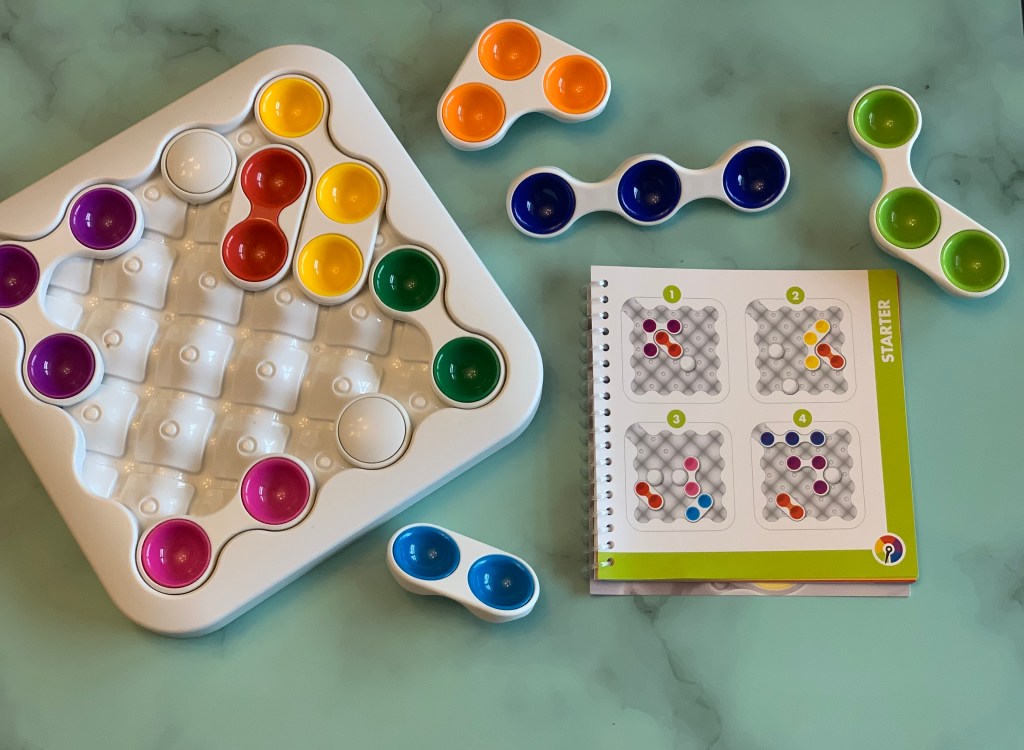
SmartGames Anti-Virus is a one-player sliding puzzle game that challenges you to remove the red “virus” piece from the game board. You select a challenge and arrange the pieces on the board according to the challenge. From there, you have to slide the colorful pieces around the board to create a pathway that allows you to move the red virus completely out. Sounds easy, right? Not necessarily! The pieces can only move in certain directions, so you have to think several moves ahead. Moving one piece might solve one problem but create another. That’s where the logic, planning, spatial reasoning, concentration, and critical-thinking skills come into play. As you progress through the challenges, they become increasingly difficult, which keeps the game interesting for older students and apparently the adults in our house too!
A Fun Game for Our Homeschool Day
One thing I love about Anti-Virus is how easily it fits into our homeschool routine. It has been a great game to pull out between Biology lessons. When we’ve been reading, taking notes, or working through something that requires a lot of concentration, Anti-Virus gives us a chance to switch gears while still keeping the brain working. But honestly, one of my favorite times to play has nothing to do with school. We pull it out while we’re waiting for dinner to finish cooking. Instead of everyone disappearing into separate rooms or immediately grabbing their phones, we’ll hang around the kitchen or dining room, pull out Anti-Virus, and see who can figure out a challenge. Someone starts playing, someone else starts giving suggestions, and before you know it, everybody wants a turn. Technically, Anti-Virus is a single-player puzzle, but in our house it often turns into a family activity.
Why I Like It for High Schoolers
As our homeschool moves into the high school years, I’m realizing that games still have an important place in learning. They just need to grow with our students. Anti-Virus doesn’t feel like a little kid’s educational game. It requires students to plan ahead, recognize patterns, problem-solve, and rethink their strategy when something doesn’t work. Those are exactly the kinds of thinking skills I want to continue developing throughout high school. And the best part? Nobody feels like they’re doing another assignment.
Our Final Thoughts
SmartGames Anti-Virus is definitely a winner in our house. It’s challenging enough for our high school homeschool, fun enough that the adults actually want to play too, and easy enough to pull out whenever we have a few minutes. Whether we’re using it as a brain break between Biology lessons, challenging ourselves during the homeschool day, or simply hanging out together while waiting for dinner, Anti-Virus has become one of those games that gets used instead of sitting forgotten on the shelf. And considering everyone in this house seems to want it at the same time, I think that says plenty. Next up in our 3-part Logic & Critical Thinking Games for High Schoolers series: another SmartGames favorite!
We received IQ Circle for our honest review from Timberdoodle Co.
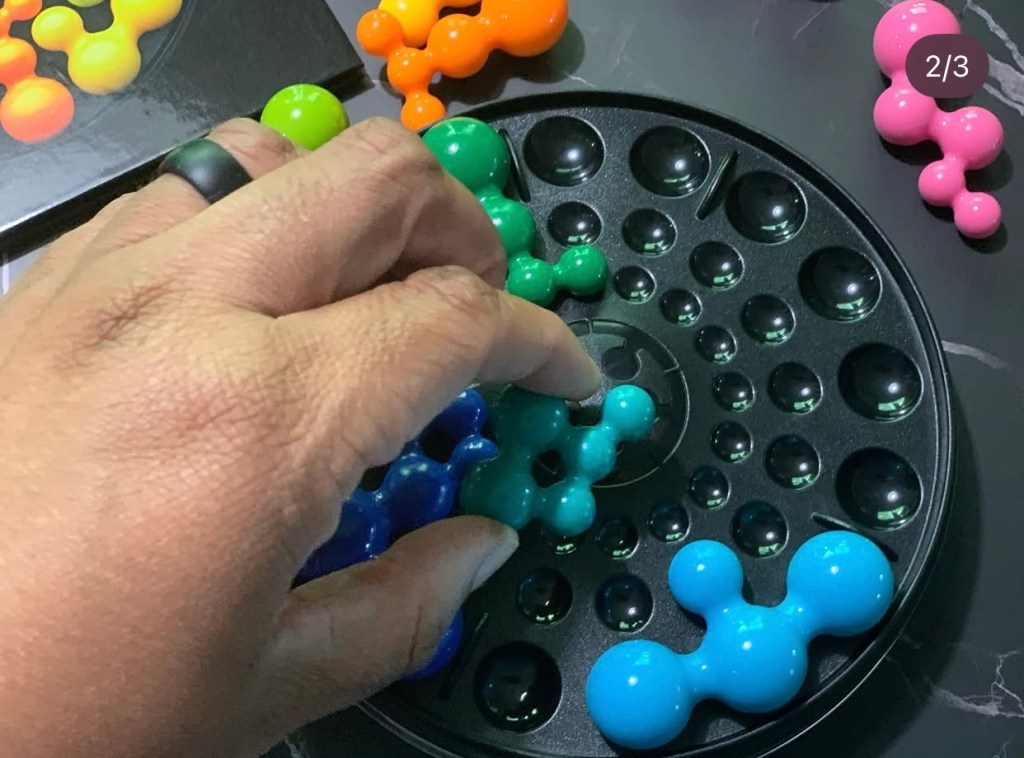
As we move into the high school years of homeschooling, I’m always looking for ways to keep critical thinking, logic, and problem-solving part of our day without everything feeling like another lesson or assignment. That’s one reason I’m loving the SmartGames IQ Deluxe collection, and IQ Circle has quickly become a favorite. It looks simple when you first open it, but don’t let that little circular board fool you! 😂 IQ Circle definitely makes you think.
What Is SmartGames IQ Circle?
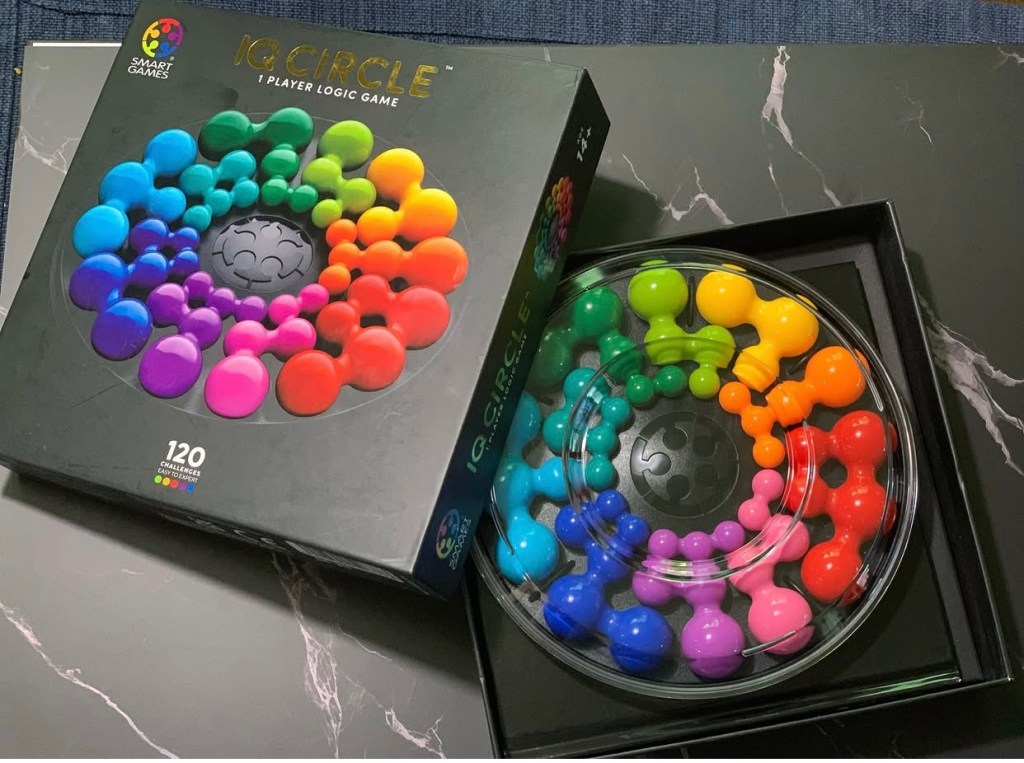
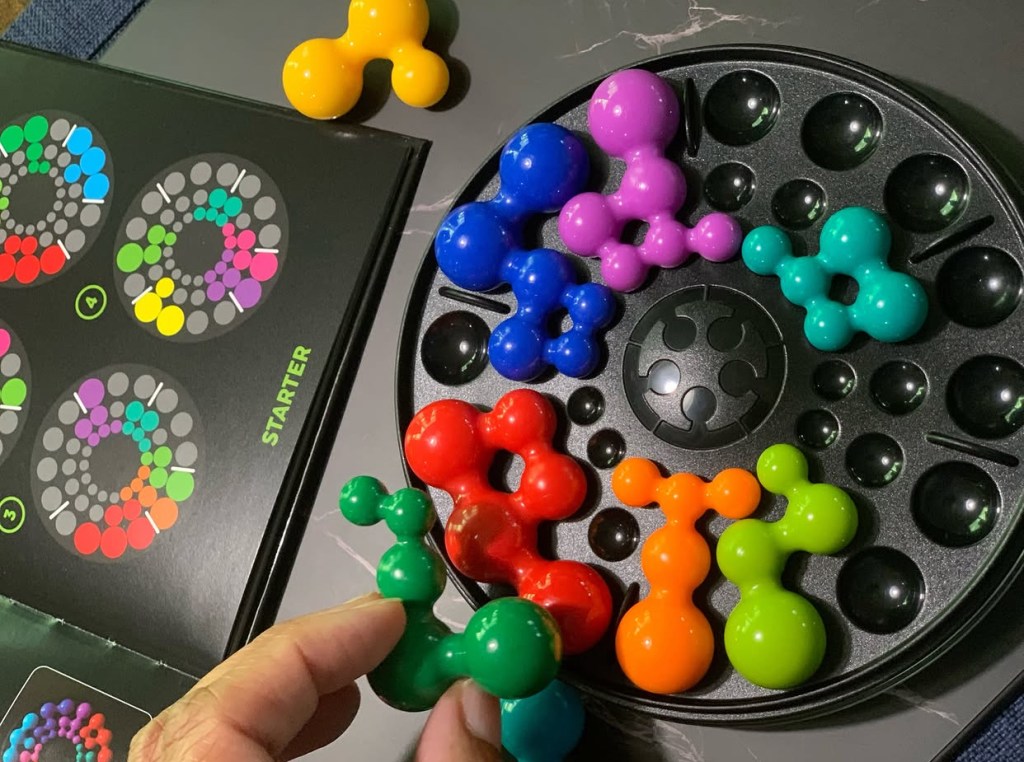
SmartGames IQ Circle is a one-player logic puzzle designed for ages 14+. It includes 120 challenges, ranging from Easy to Expert, along with 10 double-sided puzzle pieces and a portable game board with a lid. The goal sounds simple: complete the circle. You choose a challenge and place the indicated pieces onto the board. Then you have to figure out how to fit all of the remaining pieces correctly. But there’s a catch!
The pieces contain different-sized balls that must fit into specific areas of the circular board. The board also has ribs that restrict where pieces can be placed, and because the pieces are double-sided, sometimes you have to completely change your approach and flip a piece over to find the solution. Each challenge has only one correct solution.
More Than Just a Puzzle
What I really appreciate about IQ Circle is how many skills are being used while you’re simply trying to solve a puzzle. It encourages:
Critical thinking
Logical reasoning
Problem-solving
Concentration
Visual-spatial reasoning
Planning
Pattern recognition
Persistence
As the challenges become harder, fewer clues are provided, so you really have to slow down, analyze what you see, and think ahead. For high school students, I think activities like this are a great reminder that developing thinking skills doesn’t always require a textbook.
Why I Like the IQ Deluxe Games
The IQ Deluxe line is geared toward older teens and adults, and I think that makes a big difference for homeschool families with older students. The games have a more sophisticated design and presentation than many logic games created for younger children. IQ Circle’s unique geometric board isn’t just there to look nice the circular design actually influences how you have to approach and solve each challenge. It feels like a legitimate brain teaser rather than something we’ve simply adapted for a teenager.And apparently, Circle and I understand each other pretty well because I’ve been doing surprisingly good at this one!
SmartGames IQ Circle has been a great addition to our high school homeschool. It gives us something that’s fun and screen-free while still exercising logic, concentration, spatial reasoning, and critical-thinking skills. With 120 challenges from Easy to Expert, there is plenty of room to grow with the game, too. You can start where you’re comfortable and gradually work your way toward those challenges that really make you stare at the board and wonder how one little piece is causing so much trouble. High school homeschooling doesn’t have to mean giving up games and hands-on learning. Sometimes a quick puzzle is exactly what we need to break up a long school day, reset our brains, and make learning feel fun again. And right now, IQ Circle is definitely earning its spot on our homeschool table.