1st Grade, 2nd Grade Curriculum, 3rd Grade Curriculum, 4th Grade, 5th Grade, 6th Grade, 7th Grade, Curriculum, dyslexia, Homeschool, Language Arts, Read Alouds, Reviews, spelling, Writing

LightSail for Homeschoolers Review!

Disclosure: I received this complimentary product through the Homeschool Review Crew.

For the last few weeks, we have been using LightSail for Homeschoolers Premium Subscription. The crew was given given a 1-year online subscription to review. LightSail for Homeschoolers focuses on four areas Reading, Writing, Vocabulary, and Fluency it also includes World Book.

LightSail for Homeschoolers program focuses on the 4 areas of literacy. Before students can venture into the program they are given an assessment to determine their Lexile level. The assessment is lengthy so I recommend breaking it up into 2 days. After the children finish the assessment you will see their score and you as a the parent can assign books for them to read that are on on that level or any level you would like. LightSail for Homeschoolers has excellent content security, I noticed that a lot of books I went to assign my student or I was just researching to add for him to read I had to grant permission for him to access.

LightSail for Homeschoolers Reading has a huge selection of literature, I was very pleased to see lots of culturally diverse materials and topics. My son has a major passion for the Negro Baseball League and we found several books, videos, and documentaries about the players that I created him a unit study so he could access them faster. Speaking of unit studies WOW this feature is fabulous, I was able to create unit studies for our science, history, and language arts lessons. The unit study feature allows you to assign the study to all the students or to individual students. The LightSail for Homeschoolers Reading provides:

  • Unit Studies, Booklist and Memory Work
  • Read-Alouds
  • Assessments
  • Augment Reality
  • Interactive Books
  • Videos
  • Parental Control

We really enjoyed the augmented reality section we were able to explore areas of the world and places. The LightSail for Homeschoolers Reading also helps you set reading goals, track your students data, reading badges, and much more.

LightSail for Homeschoolers Writing from what is reviewed is going to be a great program that will encourage your student to work on grammar skills, writing, journal, and write books. Parents will be able to assign writing assignments, grades and provided feedback to their students writing. At the time of this review, this section was not available.

LightSail for Homeschoolers Vocabulary is fabulous students can work on vocabulary building and spelling both of which we really need assistance in this area. Students will work on definitions and interactive activities. One of my absolute favorite sections is the Clozes in text, how can sing this practice praises. Several of the books in the library uses the clozes. The books the students read are missing words, and have interactive in-text activities. The students can’t move on in the book until they do the activities. The activities require the student to use comprehension, context clues and vocabulary skills to fill in the blanks.

LightSail for Homeschoolers Fluency will work on improving your students fluency, through read-alouds & re-telling, memory work, listening, speaking and writing.

LightSail for Homeschoolers Reading, Writing, Vocabulary, and Fluency is an excellent language arts online platform. There is a lot of content in the LightSail for Homeschoolers , you will need to undergo a learning curve when using the platform. I highly recommend you watch all of the videos and take some time getting use to the platform. I am still learning the platform myself, several of the areas are still under development so you will not have access to all areas. The one thing I was very disappointed with is that this program will only work with Chrome and Edge. We are an Apple family and I had to download the Chrome browser on my iMac so I could manage the parent dashboard. My son also wasn’t a big fan that he couldn’t use this on his iPad and had to be stationary in front of his laptop. I would encourage the company to make this available on Safari and Firefox.

At the time of this review, the company offers a 7 day free trial, thereafter $99 for the LightSail for Homeschoolers Premium account. Be sure to check out the other crew’s reviews of LightSail for Homeschoolers by clicking the banner below.

1st Grade, 2nd Grade Curriculum, 3rd Grade Curriculum, Curriculum, Education, spelling, Writing

Reading Kingdom: Spelling Ninja Review !

Disclosure: I received this complimentary product through the Homeschool Review Crew.

We were sent a 1 year subscription to Reading Kingdom Spelling Ninja for us to review as a supplement for some interactive spelling fun!

Spelling Ninja is an online spelling program that encourages students to use their phonics skills to help them decode words to spell. The program is for children ages 5-10 years and the program does have a prerequisite that students need to have completed Level 2 in Reading Kingdom or be able to read. There is a parent dashboard so you can make changes to your students settings. From the parent dashboard you can also print diplomas, progress reports and track your students progress.

How Spelling Ninja Works

Spelling Ninja gives students a sentence and picture for them to copy. The system reads the sentence to your student and then the students have to copy it. The sentence or parts of the sentence is still visible to the student as they type. Students have to make sure they are adding capital letters where needed and spaces between words and correct punctuation. The words, spaces and punctuation are colored coded as a helpful alert to the student that they are missing a letter or space as they type. The pictures matching the sentences feature diverse graphics, the screen isn’t very busy so it is not distracting to those students who are easily distracted. Before students start playing they can choose between and on screen or off screen keyboard.

Now my son wasn’t not really eager about Spelling Ninja because he didn’t like the timed response time and how it would ding him. He became quite discourage by this and didn’t want to continue the program. I was able to slow that timer down, but personally I wish it could have been turned off. Spelling Ninja also requires that your student has some knowledge of keyboard typing. I found this a little odd especially for a program targeted at students as young as 5yrs. Without a student having some basic knowledge of typing your student will be discourage.

The overall concept of using decoding and phonics is a great way strengthening spelling skills. We will use this program as a way to supplement spelling and give him some typing practice. The cost of Reading Kingdom Spelling Ninja at the time of this review is $19.99 for a years access. Be sure to check out the other crew’s of Reading Kingdom programs by clicking the banner below.

Social Media Links:

Facebook: https://www.facebook.com/readingkingdom
Twitter: https://twitter.com/readingkingdom
Instagram: https://www.instagram.com/readingkingdom/
Pinterest: https://www.pinterest.com/readingkingdom/
YouTube: https://www.youtube.com/user/ReadingKingdom

1st Grade, 2nd Grade Curriculum, 3rd Grade Curriculum, 4th Grade, Curriculum, Education, Homeschool, Language Arts, Math, Reviews, spelling, Writing

Reading Eggs and Mathseeds Review !

DISCLAIMER: I received this complimentary product through the Homeschool Review Crew.

Reading Eggs and Mathseeds has been one of those programs that have been around for a very long time in our homeschool. Reading Eggs and Mathseeds were my son’s first online programs when he was 4 years old. The crew was given the opportunity to review Reading Eggs and Mathseeds I thought this would be a great time to revisit one of our old favorite online platforms.

Reading Eggs is online phonics, grammar, and spelling program. Recently the company introduced a new area called Fast Phonics and before this program, the company released Reading Eggs Jr for ages 2-4 years. The original Readings Eggs (ages 3-7) and Eggpress (ages 7-13) has been a frequent flyer in our home. Mathseeds is another great program that is on the platform it is for ages 3-9.

We have used Reading Eggs and Mathseeds in our home school for many years. Both of these programs provide a great foundation for literacy, grammar, and math skills. The lessons are fun, quick, and easy for the kids to maneuver with little parental assistance. Reading Eggs offers parents placement so the system can place your student in the best place on the map. Reading Eggs is a literacy program that will take your student from the very basics of lof letter recognition, sounds, blends, sight words, and reading. Students will have opportunities to earn golden eggs, students have tons of activities to keep them busy with learning and reading. One of the features I really liked about Reading Eggs is the driving test and story factory.

Mathseeds works very similarly to Reading Eggs the students can take a placement test or they can just start from the beginning and move through the path. Parents can also manually place their students in the lesson they think best for them from the detailed parent dashboard. Students will work on number recognition and mobe through topics covered up to 3rd grade.

Reading Eggs and Mathseeds is a wonderful introduction to online learning for younger students and there is something for everyone. We have really enjoyed using these programs over the years. The parent resources offer full curriculum printables and they also include a wonderful scope and sequence you can follow. The company has excellent customer service. Just when I thought my son had outgrown Reading Eggs he was able to use Reading Eggpress for higher-level grammar and spelling to review.

I highly recommend Reading Eggs and Mathseeds for homeschooling and for those students who attend traditional school. Be sure to check out the other crew’s reviews by clicking the banner below.

Social Media Links

Facebook: https://www.facebook.com/readingeggsUSCA
Twitter: https://twitter.com/readingeggs
Instagram: https://www.instagram.com/readingeggs/
YouTube: https://www.youtube.com/channel/UC8ED-7e2xA3fxgrM7Wq2XGQ

1st Grade, 2nd Grade Curriculum, 3rd Grade Curriculum, 4th Grade, Education, Math

Math Essentials Speed Wheel Drills! : Addition, Subtraction, and Multiplication Wheels

Disclosure: I received this complimentary product through the Homeschool Review Crew.

Math fact fluency is one of those skills students need practice on a regular so they continue to be proficient. I was super excited about the crew reviewing the Math Essentials Speed Wheel Drills!

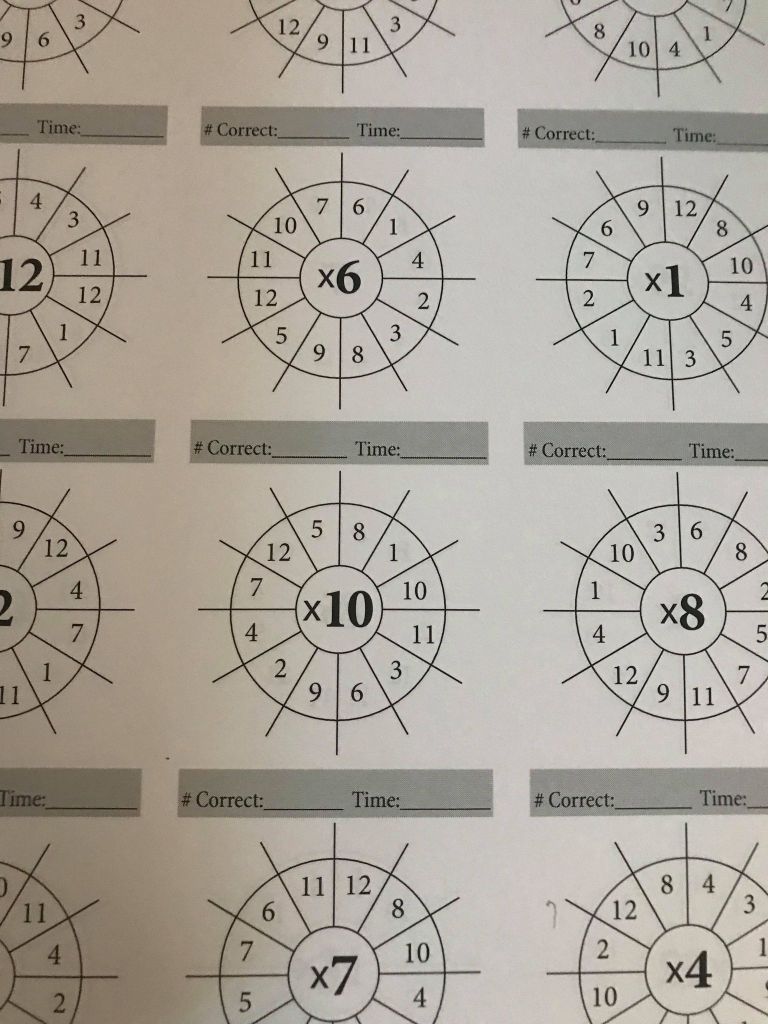
Can I just say my son loves speed wheel drills. This year we had to make a change in his math curriculum and one of the things he loved was the speed wheels. When the Math Essentials Speed Wheel Drills arrived and he flipped through the books he was super excited. I dont know what it is about math facts being in a wheel makes him love fluency work but he loves them.

We were sent the Addition, Multiplication and Division Math Essentials Speed Wheel Drills! Each books comes with 1,440 speed wheel drills. The book also gives parent 21 tips math tips, instructions on how to use the books. Parents can time students or they can be not be times. I am personally noticed that my son has anxiety when things are timed so I dont time him. Each page has 12 speed wheels we did 1 row a day for 4 days a week. We used the Multiplication Math Essentials Speed Wheel Drills but as we move into our home school year I plan to assign a different book for a day of the week because I want him practice all 3 books.

The Math Essentials Speed Wheel Drills can be done in any direction the student wants to start in. The layout is simple the fact family number is in the middle of wheel and the student goes around the wheel preforming the correct operation. My son said he likes the Math Essentials Speed Wheel Drills because they aren’t boring. He said he doesn’t like the fluency sheets that are rows after rows of facts. The speed wheels aren’t in order so they kids will practice random fact families each wheel.

So now that we have found Math Essentials Speed Wheel Drills Addition, Multiplication and Division my son’s favorite way to practice his fact fluency, we are happily spreading the word about these books to friends and family. Be sure to check out the other crew’s reviews on Math Essentials Speed Wheel Drills by clicking the banner below.
3rd Grade Curriculum, Curriculum, Education

Home School in the Woods: Lap-Pak: Wonders of the World Review!

Disclaimer: I received this complimentary product through the Homeschool Review Crew.

I am always looking for a way to make out homeschool more interesting and hands on. The crew was giving the opportunity to review several of the wonderful resources from Home School in the Woods for this review I choose to review Lap-Pak: Wonders of the World a digital pdf.

Lap-Pak: Wonders of the World is a wonderful resource that allows students to explore the worlds wonders right in their home. Students will focus on the worlds wonders from 4 time period Ancient, Medieval, Modern and Natural. What I like about the Lap-Pak: Wonders of the World is that students can use these wonders to cover history and science. Lap-Pak: Wonders of the World is meant to be put together as lapbook, but because I know my track record with lap books I decided to use the Lap-Pak: Wonders of the World as interactive notebook.

I separated the wonders according to their academic topic. So we have one notebook for science and one for history. We currently studying the ocean and geology so I pulled out the Great Barrier Reef and Grand Canyon for my son. I decided to put the Great Barrier Reef in the science notebook and Grand Canyon in the history. Lap-Pak: Wonders of the World added historical information in to the Grand Canyon such as about the Indigenous People. Can I just say I was very happy that Home School in the Woods used the correct term Indigenous People and showed them proper respect in history.

Lap-Pak: Wonders of the World includes activities timeline of the Wonders of the World as well as all the Ancient Wonders. I love the mix of combining all the time periods in the Lap-Pak: Wonders of the World . I decided against putting them all together rather than building our interactive notebook as we studied them so my son can use the extra pages in the notebook to add to the wonders we study. Lap-Pak: Wonders of the World provides all you need to put together a great lapbook, there is plenty of coloring, information, creative writing and templates for the kids explore the 23 projects. Lap-Pak: Wonders of the World is east to put together with the easy instructions provided. Students can put the Lap-Pak: Wonders of the World together on their own or with assistance from their parents.

Lap-Pak: Wonders of the World is a great resource for homeschoolers or non-homeschoolers, it provides a great supplement to history and science education. At the time of this review the cost for Lap-Pak: Wonders of the World is $18.95. Home School in the Woods offers several other fun filled Lap-Paks and resources be sure to check out the Crew reviews of these resources by clicking the banner below.

Until The Next Time

Mom!

Social Media Links:

Facebook: https://www.facebook.com/homeschoolinthewoods/
Twitter: https://twitter.com/HSintheWoods
Instagram: https://www.instagram.com/homeschoolinthewoods/
Pinterest: https://www.pinterest.com/hsinthewoods/_saved/
YouTube: https://www.youtube.com/channel/UCrKq6iLty2fpB6R6ZpcUb8A/videos

1st Grade, 2nd Grade Curriculum, 3rd Grade Curriculum, Education, Family, Homeschool, Language Arts, Math, Reviews

Cross Seven Ventures – Homeschool Musical Memory Tool Review!

Disclosure: I received this complimentary product through the Homeschool Review Crew.

There is no secret that our family loves music if you follow me on all my social media platforms. One of the ways we make homeschooling fun and interactive is by including music. The crew was offered an opportunity to review Cross Seven Ventures – Homeschool Musical Memory Tool. Each reviewer was given a 1-year subscription to acess the program online.

Cross Seven Ventures – Homeschool Musical Memory Tool is for children in grades K-6 it covers subjects Timelines, History, Science, Math, English Grammar, Latin, Geography, Hymns, and Scriptures. The program has 4 cycles to help the children build a solid foundation. There is a parent dashboard in which you can track each students progress and interactive quizzes.

For this review we used the Math and English Grammar memory work. The English Grammar section really was nice way to review old concept mastered and new grammar concepts. What I did to make this more helpful for my son is I went through his grammar curriculum and paired the weekly concept with a Cross Seven Ventures – Homeschool Musical Memory Tool English Grammar song and we used that all week at the beginning of our lessons. There were times when we had more than 2 concepts and we learned the songs for those concepts. There were a few times I would hear him humming the songs while he was working on his lesson independently. I did notice that over the few weeks have been using the Cross Seven Ventures – Homeschool Musical Memory Tool for English Grammar his need for me to review or assist him was less.

For Math, we used Cross Seven Ventures – Homeschool Musical Memory Tool in the same way as English Grammar but I was able to skip several of the earlier weeks and find the memory work areas that he really needed help with and this mom was in panic mode about teaching. Cross Seven Ventures – Homeschool Musical Memory Tool made teaching my son fraction conversion to decimals a BREEZE! This mama was in panic mode 2 weeks ago when I saw fractions to decimals conversions come up in his curriculum. I prepped for the week and braced for the upcoming lesson, sure enough, I put the song on and we started the lesson and instantly he understood the concept and kept moving along. I think the one thing I would like to see included in the memory work math would be integers and exponents.

Cross Seven Ventures – Homeschool Musical Memory Tool does have a Christian foundation, but we only used the math and grammar and for those wondering if there were faith-based items in the sections, we used I didn’t encounter them. There are fun links included in each cycle for the kids to explore outside the memory work. Students can earn badges as they work through the memory work and quizzes.

Cross Seven Ventures – Homeschool Musical Memory Tool worked well for my son because he is an auditory and visual learner. The songs are short and easy to learn, I do like the videos that follow the songs as they play because it gives a nice visual for the children. I also like the option that all the memory work can be done in each cycle can be done by the week or you can pick the ones that work for you. I plan to continue to use this over the summer as part of our summer homeschool daily do’s to help prevent summer slide.

Cross Seven Ventures – Homeschool Musical Memory Tool is tablet and mobile-friendly “there are streaming channel apps on AppleTV, Roku, and FireTV, which are great for allowing the whole family to easily see the programming content.” At the time of this review, the cost for a 1-year subscription for all 4 cycles is $439.99. If the 1 year subscription doesn’t fit your family’s budget there is monthly and yearly subscriptions for each cycle. Be sure to check out the other crew’s reviews on Cross Seven Ventures – Homeschool Musical Memory Tool by clicking the banner below.

-Mom

Social Media Links: Cross Seven  – Musical Memory Work

Facebook: https://www.facebook.com/CrossSevenVentures
Twitter: https://twitter.com/Cross7Memory
Instagram: https://www.instagram.com/crosssevenventures/
Pinterest: https://www.pinterest.com/CrossSevenVentures/
YouTube: https://www.youtube.com/c/CrossSeven

3rd Grade Curriculum, Math

ThemeVille Math 3 Review!

Disclaimer: I received a FREE copy of this product through the HOMESCHOOL REVIEW CREW in exchange for my honest review. I was not required to write a positive review nor was I compensated in any other way.  

Over the last 2 years my son has started to love all things math related. I love his enthusiasm about math because kindergarten and a little of 1st grade was a bit of a struggle. Now that we are track I am always looking for news ways to expose him to math. Over the last few weeks my son has been working through Grade 3 of ThemeVille Math.

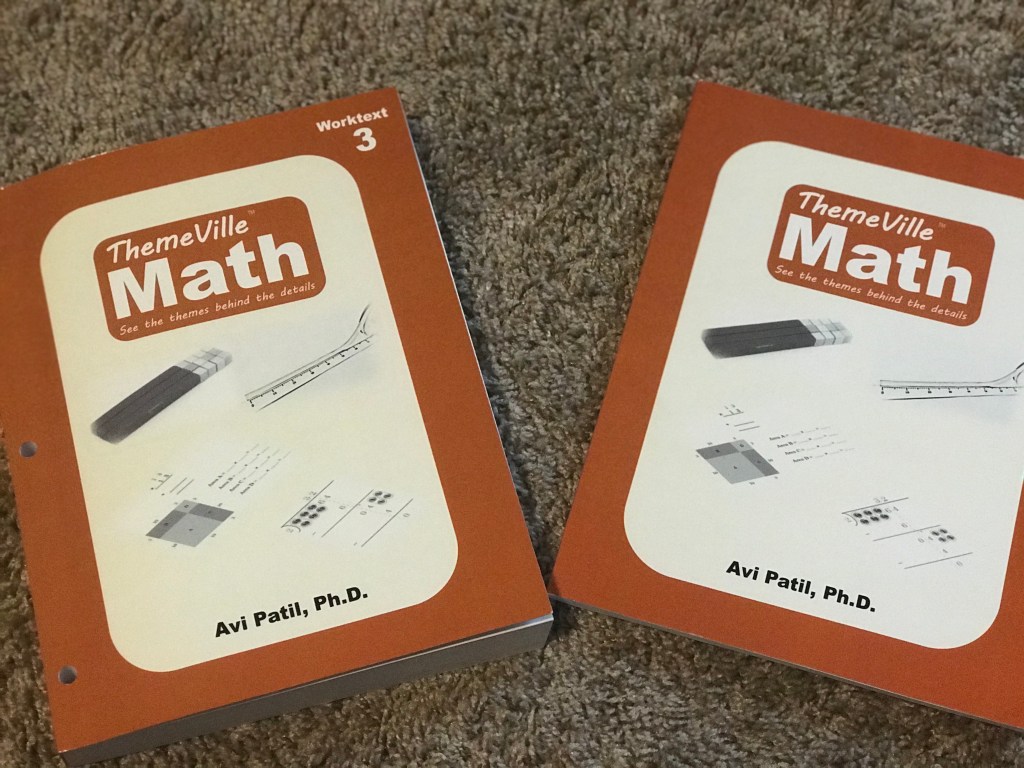
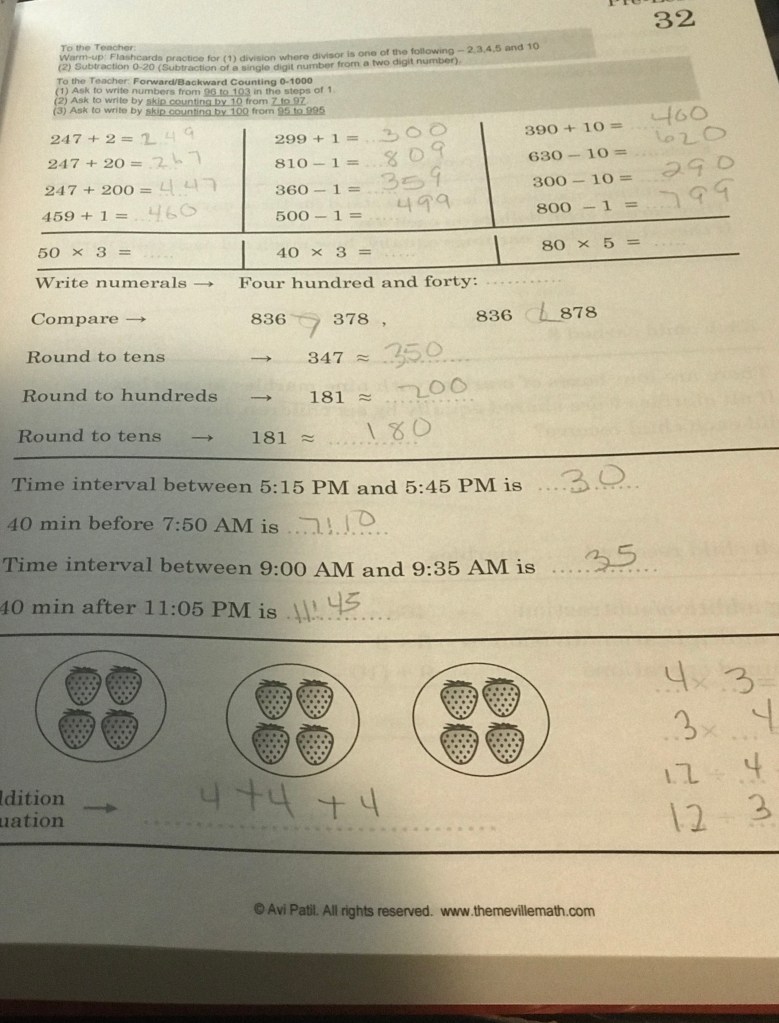
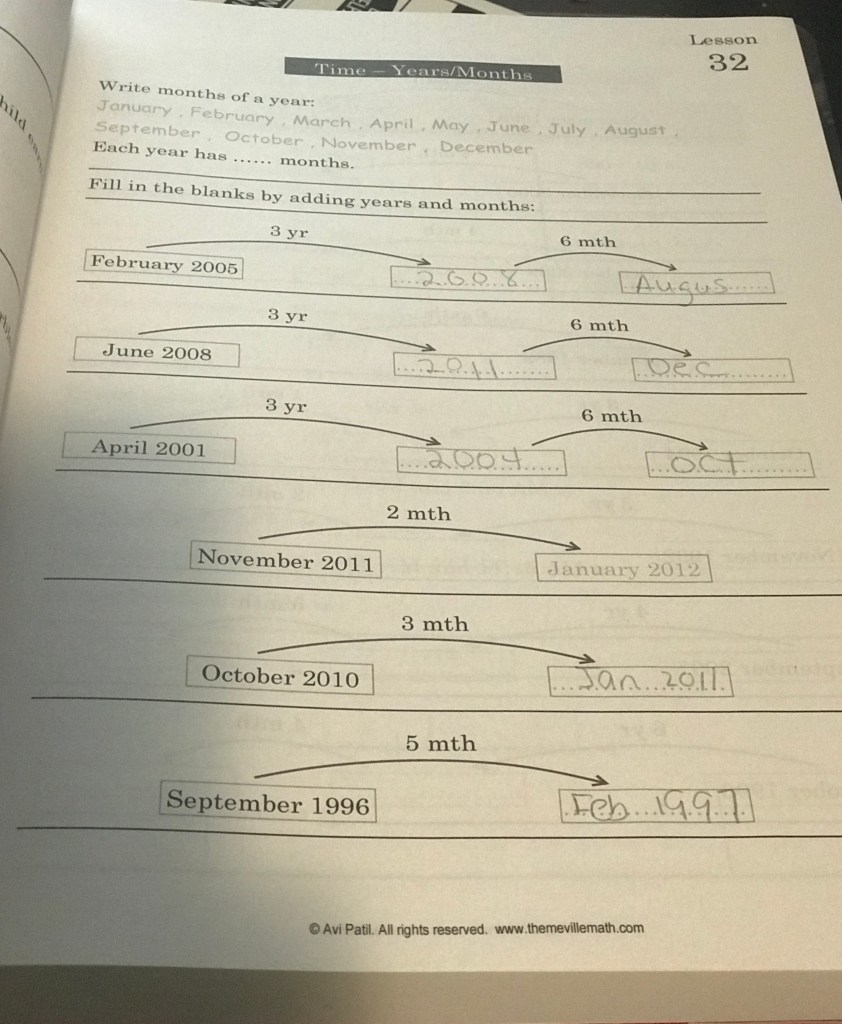
ThemeVille Math is available for grades 1-5th, for this review I will be giving you my impression on grade 3. ThemeVille Math grade 3 comes with one large work-text and answer book. The work- text is thick and pre-hole punched, I personally would have preferred a book this this thickness to be split into two books or come unbound. There are 120 pre-lesson and 120 lesson, there is also a test after every 30 lessons. The pre-lessons are designed to review previous lessons covered except for the first 10 pre-lessons those are reviews for Math 1 and Math 2. I think having the pre-lessons are a great idea before presenting lessons because this ensures that students have mastered the previous lessons before moving on to the new material.

ThemeVille Math Grade 3 covers:

  • Multiplication/Long Division
  • Addition/Subtractions 0-1000
  • Word Problems
  • Time/Temperature/Money
  • Geometry
  • Graphing/Plotting
  • Weight

Each lesson is detailed with presenting the concepts with lots of practice. There also teacher notes at the top of the pre-lesson pages. For the ThemeVille Math Grade 3 parents will need only 9 manipulative and they can easily purchased from the company , I am pretty sure you will have about 90% of them already in your home. ThemeVille Math Grade 3 is common core aligned and the text is in all black and white. This a full math curriculum for grade 3 and would be a great option for new homeschoolers or students who need more guidance with concepts.

So what do I think about ThemeVille Math Grade 3? This curriculum would have been perfect for my back than struggling student in K/1st grade. After flipping through the curriculum I am considering to purchase grade 4 for my son once he finishes his current math curriculum so he can work through over the spring and summer of 2021. I saw a lot of pluses in this curriculum that I feel would beneficial to my son. Another thing I really like is they have guidance boxes for students to do their lesson, this helps keep things nice and neat! The company offers sample pages on the website for you to look over. The curriculum is affordable at the time of this review the ThemeVille Math Grade 3 the work-text $29.85 and the solutions book is $14.85 and if you want to get the manipulatives that can be used with levels 1-3 are $49.95.

Be sure to check out the others crews reviews of ThemeVille Math Grades 1-4 by clicking the banner below.
Social Media Links:

Facebook: www.facebook.com/themevillemath

3rd Grade Curriculum, Education, Homeschool, Writing

IEW Structure and Style Students Year 1 Level A Review!

Disclaimer: I received a FREE copy of this product through the HOMESCHOOL REVIEW CREW in exchange for my honest review.  I was not required to write a positive review nor was I compensated in any other way.

There is no secret that writing is not one of my sons favorite homeschool task, but I am determine this year to make writing enjoyable. The Crew was given the opportunity to review the Structure and Style series from Institute for Excellence in Writing®. For this review I will be discussing the Structure and Style® for Students Year 1 Level A .

Structure and Style® for Students Year 1 Level A covers 24 weeks of instruction. The series comes with a Student Binder, Teachers Manuel and Instructional Streaming. At first glance I really appreciated the organization of Structure and Style® for Students Year 1 Level A  I like having everything in a binder so it is easily accessible. The Teachers Manual is detail and easy to follow. I was a little confused by how to organized the materials but I was able to figure things out easily. The stream service is really informative as well and I appreciate Mr. Andrew Pudewa funny lessons and great repertoire with children. Mr. Andrew Pudewa instructs the students on their lessons and how they need to be completed once they finish watching the his lessons.

My son was a little reluctant to start the program because of course he doesn’t like to do a lot of writing, but I have been encouraging him to do more and he likes the stream parts of the lessons he says Mr. Andrew is funny. The binder is divided into 8 different tabs which makes it easy for him and I took keep his writing in order. The student binder gives the student a week at a glance so they know exactly what they will be working on for the upcoming week. We happened to have the Fix Grammar book already so I was able to let him us it alongside the program as well as instructed. You do not have to have this, but we had it and so I went ahead and let him follow along. Institute for Excellence in Writing® offers sample pages of Structure and Style® for Students Year 1 Level A  their website for you to look over .

The teachers manual gives the preparation for each weeks lesson which can be easily transferred into your planner. You can also modify the weekly lessons to fit your needs. The Structure and Style® for Students Year 1 Level A  helps build confidence in your students writing and does it at pace that makes it easy for them. Institute for Excellence in Writing® offers sample pages of Structure and Style® for Students Year 1 Level A  ( on their website for you to look over . At the time of this review the cost for the program is $149.00 this includes the stream service. I was very impressed with this program and my son seems to be enjoying it and not putting up a a fight. I did modify the schedule a little for him but eventually we will go back the the way it is laid out to be completed as we move through the program.

Be sure to check out the other Crews reviews on Institute for Excellence in Writing® Structure and Style by clicking the banner below.

Social Media Links:

Facebook: https://www.facebook.com/excellenceinwriting/
Twitter: https://twitter.com/iew
Instagram: https://www.instagram.com/iew/
Pinterest: https://www.pinterest.com/iew/
YouTube: https://www.youtube.com/user/iewtv/featured

Until the Next Time,

Mom

2nd Grade Curriculum, 3rd Grade Curriculum, Curriculum, Education, Reviews, Science

Journey Homeschool Academy: Experience Biology: Elementary Review!

Disclaimer: I received a FREE copy of this product through the HOMESCHOOL REVIEW CREW in exchange for my honest review. I was not required to write a positive review nor was I compensated in any other way.

I first encountered the Journey Homeschool Academy when I saw they were offering a Backyard Bugs course in June and I thought this would be a great way to bring some fun to the summer studying about insects and bugs right in the backyard. The classes were fun and easy and could be done at our own pace. Then I noticed the crew was given an opportunity to review Journey Homeschool Academy Experience Biology: Elementary and I new this would be a great opportunity to transition us from the Backyard Bugs class to their Experience Biology: Elementary we really have enjoyed the previous program so I know this would be a hit.

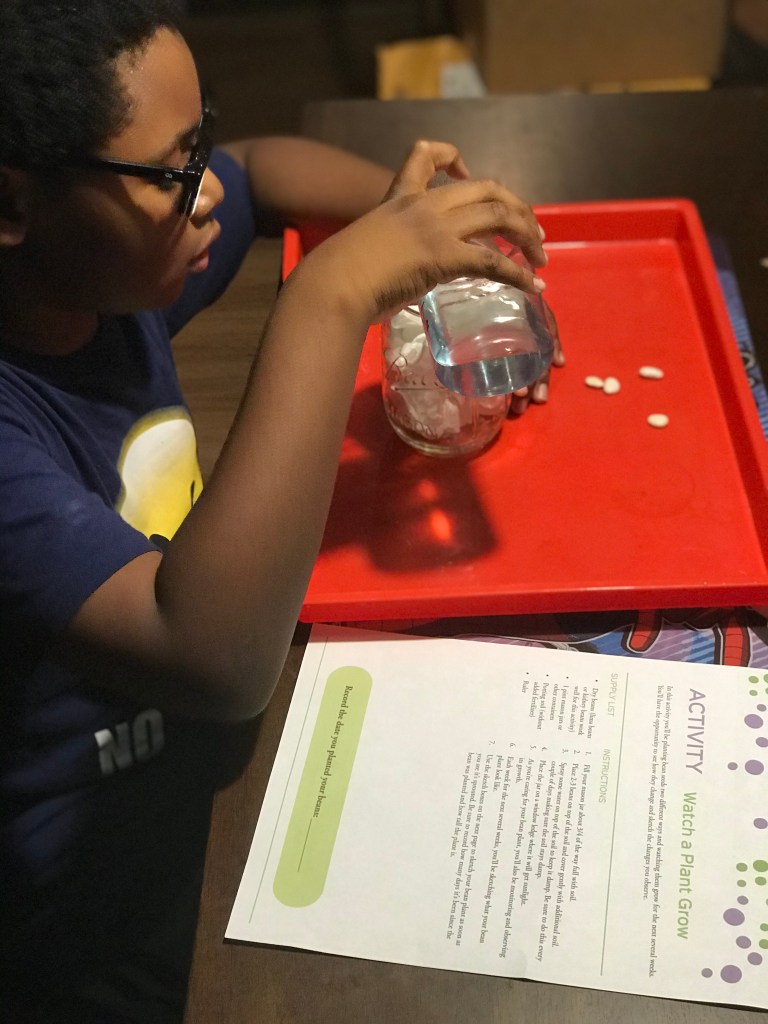
Journey Homeschool Academy Experience Biology: Elementary is a virtual online elementary biology class geared for students ages 6-12. There are 30 lessons that can be done in 15 minutes or longer depending on how you navigate the lessons. For us we paired it what were studying in our science curriculum about plants and I used it as an introduction to our science unit to help in laying foundations and we built around it. The lesson are meant to be done in order but you can adapt them to work for you if you are studying a particular area of study in biology.

Journey Homeschool Academy Experience Biology: Elementary is done in 3 steps:

Step 1: Watch the engaging video of about the lessons biology topic. The videos are interesting and provide excellent visuals and explanation about the current topic. I used this to help with introducing the topic from our current science curriculum.

Step 2: Kids will engage in hands on activities, copy work, memory cards and simple basic quiz which I told my son was just a show me what you know page. I used these activities to add more fun and interactive learning to our science curriculum. I really like the quiz part because it really wrapped up what we were learning in our science curriculum and with Experience Biology: Elementary giving me an excellent resource to add to our homeschool portfolio. The memory cards I sized them down and laminated them and put on a book ring for my son.

Step 3: Explore Living books and dig deeper into the topic with the suggested resources. This step is brilliant because our science curriculum we have for the year doesn’t recommend a lot outside resources. I was able to find the suggest resources at our local library and Amazon, some of them we owned as well. I took full advantage of these resources.

Journey Homeschool Academy Experience Biology: Elementary can be used as stand alone science curriculum or as an addition to another curriculum. I have been searching for an online science curriculum I could use with my son this school and I am glad the crew was able to review Journey Homeschool Academy Experience Biology: Elementary. If you are looking for a faith based curriculum this also can be used. Now I will tell you that this curriculum isn’t heavily faith based. In my honest opinion I didn’t really see or hear much religion in the curriculum. I did notice some of the copy work but it wasn’t overly done and you can easily omit this part if it doesn’t work for you.

If you are looking for a biology curriculum for your student I recommend this one. Its not prep heavy and requires a lot science background. Journey Homeschool Academy Experience Biology: Elementary is a perfect introduction to science for students ages 6-12 years. The company also offers Experience Astronomy: Elementary course as well as Experience Biology: Upper Level. Unfortunately at the time of this review the free Backyard Bugs course is closed. The cost of Journey Homeschool Academy Experience Biology: Elementary at the time of this review is $129. This is a very good program if you are new to homeschooling or veteran homeschooler.

Be sure to check out the other Crews reviews of Journey Homeschool Academy science courses by clicking the banner below.
Social Media Links:

Facebook: facebook.com/intoxicatedonlife
Instagram: @intoxicatedonlifeblog

3rd Grade Curriculum, Curriculum, Homeschool, Language Arts, Math, Reviews

Spelling Shed and Math Shed Review!

Disclaimer: I received a FREE copy of this product through the HOMESCHOOL REVIEW CREW in exchange for my honest review. I was not required to write a positive review nor was I compensated in any other way.

I love creating variety in our homeschool so my son doesn’t get bored. We received 12 months of access to both Math Shed and Spelling Shed. These are both digital online learning platforms that make it easy to add some fun to your math and spelling lessons. Math Shed and Spelling Shed is for 1st- 5th grade (Spelling Shed can stretch to 8th) and if you have advanced kindergartner this program can be beneficial. Students earn points to they can use to retrieve items for their avatar.

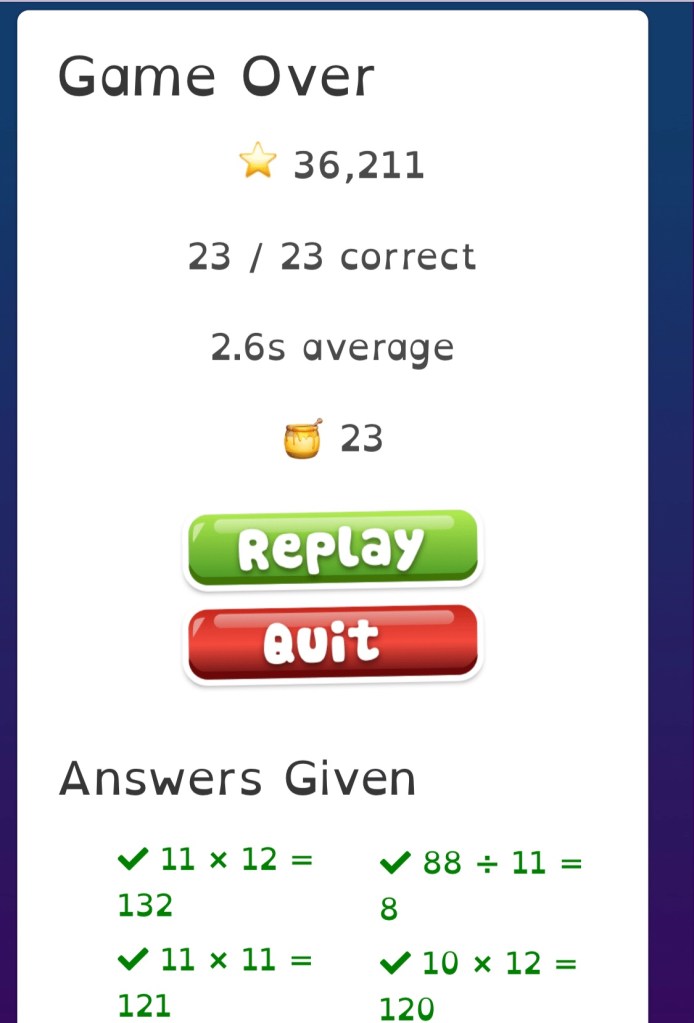
Math Shed is a fun fast paced math fluency practice game. Students are able to practice several skills focusing on :

  • Number Bonds
  • Powers of 10
  • Times Tables
  • Division
  • Addition and Subtraction
  • Year 4 Multiplications
  • Negative Numbers

Math Shed has designed the program so students can work on the targeted skills in depth by giving the students the option to select concept area and the degree of difficulty (easy, medium, and hard). My son is working on his time tables and I really enjoyed how he could pick from mixed, single, related +decimals, and year 4 multiplication. Having this option has allows him to cover multitude of skills at pace that works for him. The times tables also includes division and the facts 0-12 which I love because kids cover two skills at once.


Spelling Shed gives parents a variety of spelling list they can choose from for their student. Parents can choose from these already generate list that are phonics, dolch, fry, and UIL 3rd – 8th. Parents also have the option to create their own list, I personally used this option for my son. I really like the option of creating my own list because I was able to input my sons current homeschool spelling curriculum and have him use the program 3-4 days a week to practice. The teacher hub also allows you to do pre/post test and you can track your students knowledge. The teacher also lets you track all your students activity and gives you the ability to assign activities. Just like in Math Shed students can choose their activities and level of difficulty and earn points. The games offer the students a variety of ways for them to practice their words.

At the time of this review the cost for Math Shed or Spelling Shed is $24.95 a year for up to 5 students, if you decide to purchase both you can save 15% off. Both programs can be used on the computer or tablet. We have IOS system in homes and so my son played on his Ipad and our Macs. Overall these are great programs if you are looking to add some fun to your homeschool and summer enrichment.

Be sure you check out the other Crews reviews of Math Shed or Spelling Shed by clicking the banner below.

Until the Next Time,

Mom

Social Media Links:

Facebook: https://www.facebook.com/EdShed-US-113476190342149/
Twitter: https://twitter.com/EdShedUS
Instagram: https://www.instagram.com/spellingshed/
YouTube: https://www.youtube.com/channel/UCJKXC4Rd29eQQWPbSdITLhw