
Curriculum, Education, Homeschool, Read Alouds

One More Story Review!

DISCLAIMER: I received this complimentary product through the Homeschool Review Crew.

We love a great picture book in our home, but as my son has gotten older and reads more chapter books with less pictures we haven’t read many lately. I was delighted when the crew was given the opportunity to review a one-year subscription to One More Story .

One More Story is an picture book digital platform available on IOS app and website . Students are able to explore to array of picture books that are vividly pleasing . There over 75 books to choose from that are read aloud to your student. When logging in you will immediately notice the books are divided into different bookshelf tabs. Students will see the full display of the book and can have the title read to them by clicking on the books and when the student is ready to read they just click the green button and the book starts.

Students have 2 options when starting the book they have it read to them or they can click “I Can Read” . There also vocabulary button that will show the vocabulary words for that book and students will be able to see and hear the meaning of the word and a preview of the sentence from the story.

One More Story is a great program for early readers or if just want to get in some more read aloud time with your students. The word tracking in the story helps student to learn new vocabulary. I really like how the books have background music playing. Seeing such a great variety of books took use down memory lane.

My son loved using One More Story he at first was hesitant because of course he is a big time 4th grader who doesn’t have time for picture books, but then he spotted one of his favorite picture book Little Melba and Her Big Trombone. This book is what inspired him at 3 years old he wanted to plat the trombone. He was so happy to see the book he has listened and read it to me several times. Then we were doing an art study on Bill Traylor and I forgot to pick up the book to go along with our study and then I saw “It Jas Happened: When Bill Traylor Started to Draw on One More Story . As we were starting to study Asia in geography and in our grammar curriculum we found Grandfathers Journey as well. It has been so nice to be able to have picture books back into rotation in our home. Thanks One More Story for bringing picture books back to our homeschool.

At the time of this review the cost of a one year subscription is $45.99. Be sure to check out the rest of the crew reviews on One More Story by clicking the banner below.

Social Media Links:

Facebook: https://www.facebook.com/LifelongReaders
Twitter: https://twitter.com/EarlyReader

3rd Grade Curriculum, Curriculum, Homeschool, Language Arts, Math, Reviews

Spelling Shed and Math Shed Review!

Disclaimer: I received a FREE copy of this product through the HOMESCHOOL REVIEW CREW in exchange for my honest review. I was not required to write a positive review nor was I compensated in any other way.

I love creating variety in our homeschool so my son doesn’t get bored. We received 12 months of access to both Math Shed and Spelling Shed. These are both digital online learning platforms that make it easy to add some fun to your math and spelling lessons. Math Shed and Spelling Shed is for 1st- 5th grade (Spelling Shed can stretch to 8th) and if you have advanced kindergartner this program can be beneficial. Students earn points to they can use to retrieve items for their avatar.

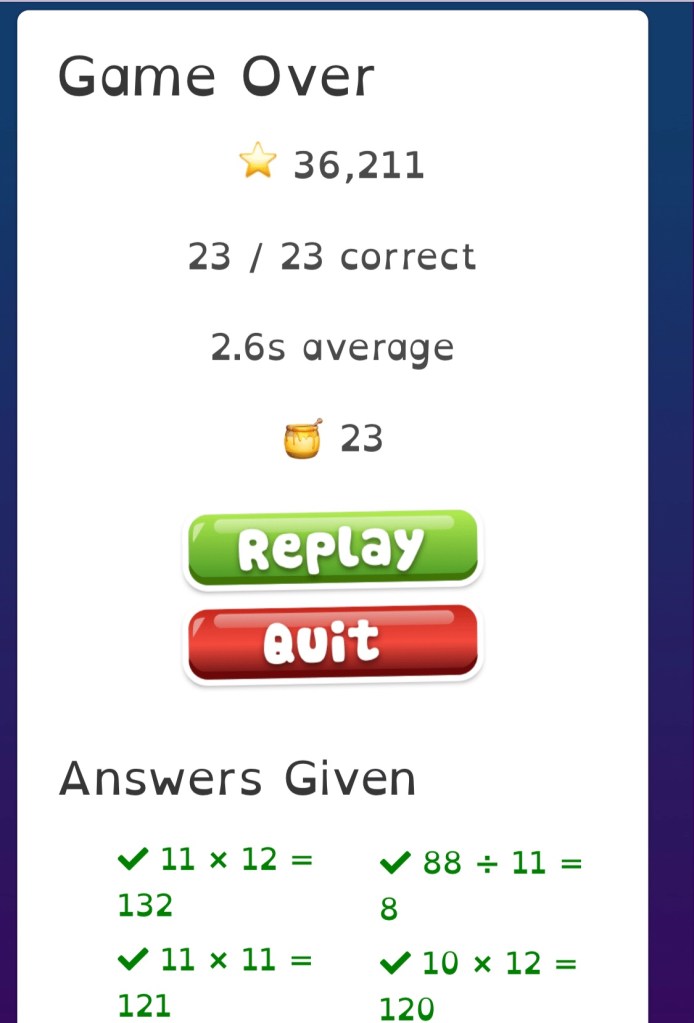
Math Shed is a fun fast paced math fluency practice game. Students are able to practice several skills focusing on :

  • Number Bonds
  • Powers of 10
  • Times Tables
  • Division
  • Addition and Subtraction
  • Year 4 Multiplications
  • Negative Numbers

Math Shed has designed the program so students can work on the targeted skills in depth by giving the students the option to select concept area and the degree of difficulty (easy, medium, and hard). My son is working on his time tables and I really enjoyed how he could pick from mixed, single, related +decimals, and year 4 multiplication. Having this option has allows him to cover multitude of skills at pace that works for him. The times tables also includes division and the facts 0-12 which I love because kids cover two skills at once.


Spelling Shed gives parents a variety of spelling list they can choose from for their student. Parents can choose from these already generate list that are phonics, dolch, fry, and UIL 3rd – 8th. Parents also have the option to create their own list, I personally used this option for my son. I really like the option of creating my own list because I was able to input my sons current homeschool spelling curriculum and have him use the program 3-4 days a week to practice. The teacher hub also allows you to do pre/post test and you can track your students knowledge. The teacher also lets you track all your students activity and gives you the ability to assign activities. Just like in Math Shed students can choose their activities and level of difficulty and earn points. The games offer the students a variety of ways for them to practice their words.

At the time of this review the cost for Math Shed or Spelling Shed is $24.95 a year for up to 5 students, if you decide to purchase both you can save 15% off. Both programs can be used on the computer or tablet. We have IOS system in homes and so my son played on his Ipad and our Macs. Overall these are great programs if you are looking to add some fun to your homeschool and summer enrichment.

Be sure you check out the other Crews reviews of Math Shed or Spelling Shed by clicking the banner below.

Until the Next Time,

Mom

Social Media Links:

Facebook: https://www.facebook.com/EdShed-US-113476190342149/
Twitter: https://twitter.com/EdShedUS
Instagram: https://www.instagram.com/spellingshed/
YouTube: https://www.youtube.com/channel/UCJKXC4Rd29eQQWPbSdITLhw

Education, Homeschool, Math

CTCMath Review

Math is one of the areas I tend to have anxiety about every school year. This year my son is trying out lessons using CTCMath‘s full math curriculum and I love that we have access to all grade levels with the Family Membership. We were given a 12 month subscription from CTCMath and has been working out great.

As a homeschooling mom it is very important that my son is mastering his early math skills . One of the things I am liking about CTCMath‘s full math curriculum is that it is very detailed and I can see exactly what he is learning in the parent dashboard. There is clear breakdown of each skill area and it’s not just one part of the skill it’s the entire spectrum from start to end. While I know my son loves playing math platforms that have a lot of games and graphics, with CTCMath your child receives a a full lesson of learning without added distractions.

When a student starts any lesson there is an instructional video. Students have the option to re-watch the video before moving on to the actual lesson to demonstrate their understanding. Parents can customize tasks for their student or work the lessons as CTCMath has laid out for their grade. In our case I took advantage of both options because I knew there were skill sets I wanted him to work on for extra practice. Having the ability to fluctuate between grade levels is also a plus because if their skills that your student didn’t quite grasp in the previous year you can have them work that skill.

The parent dashboard is really your best friend in CTCMath because it allows you to be in full control of what and how much your student is learning. . One of things I am really loving is the Question Bank Wizard this feature is EXCELLENT! I love this feature sooo much because I can customize targeted questions for my son. This feature is like breath of fresh air because you can seriously work this to your advantage. You can set the number of questions you want your student to do, time limit and skill type. Then once you generate it you can preview your questions and edit them by adding or deleting questions that may not work. There is even an option to spread the difficulty leveling across your questions. The Question Bank Wizard can be printed or added to task for your student to do on the computer.

So here is the breakdown CTCMath‘s full math curriculum 12-month Family Membership, for up to 5 students will cost your family $148.50 for the year . You will have access to all levels up to Calculus. CTCMath is multi award winning full math curriculum . Parents have complete autonomy of their students learning. You can your students take diagnostic test that will give a you a good idea where your student is academically. There are speed skills for fact and time tables student are encourage to beat their previous scores. There helpful how to videos for parents and detailed instructional lesson videos for the students. Parents have the options to print lessons or assign lessons for their students The Question Bank Wizard feature provides parents the ability to design questions especially for their student . CTCMath‘s full math curriculum can be used as a stand alone curriculum or as a supplement, children are allowed to work at their own pace. Each student can have their own personal login separate from the parents.

We give CTCMath‘s full math curriculum a thumbs up for being a great math curriculum. If you are homeschooling multiple children the price alone will save you hundreds of dollars. You can use this as a supplement or as your spine curriculum.

Be sure to check out the other Crew Reviews of CTCMath‘s full math curriculum by clicking the banner below there are a lot mamas who also agree with me this one is a winner.

Until the next time,

Mom and J

Social Media Links:

Facebook: https://www.facebook.com/ctcmath/
Twitter: https://twitter.com/ctcmathofficial
Pinterest: https://www.pinterest.com.au/ctcmath/
YouTube: https://www.youtube.com/channel/UCWn5e6974bpIEAe46VnovZw

Instagram: https://www.instagram.com/ctcmath/

Crew Disclaimer