

4th Grade, 5th Grade, Curriculum, Homeschool, Science

BookShark Science Level D Virtual Access Review!

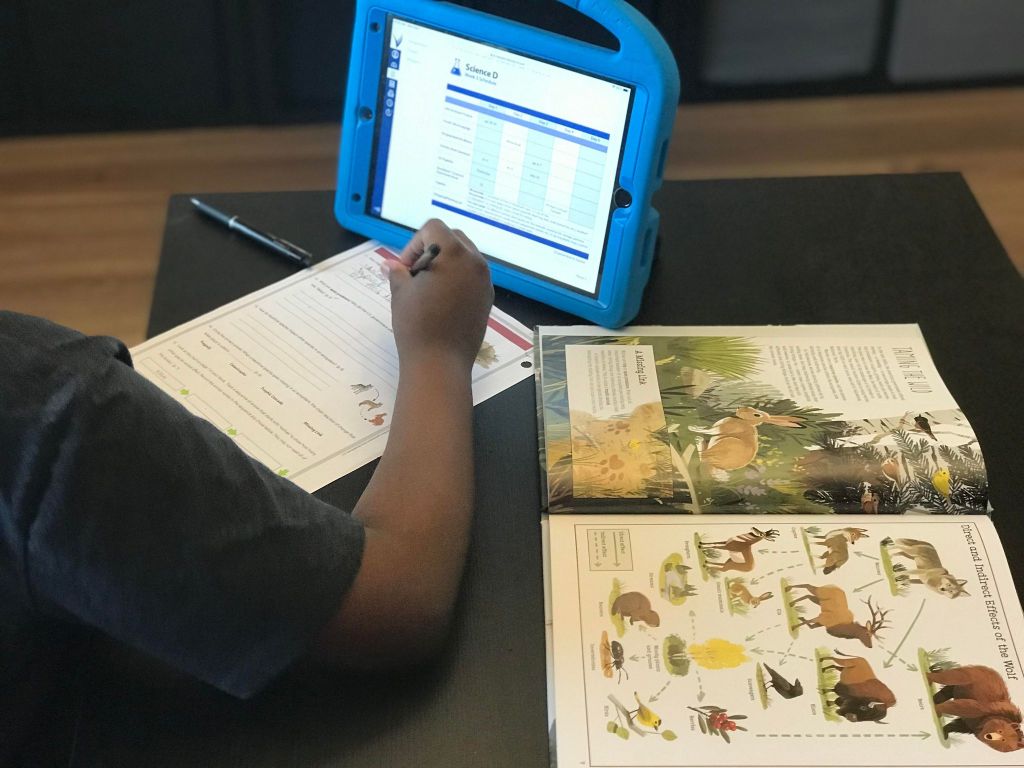
Have you ever wished there was a way you could have all your lessons planned out for you? Better yet are you looking for a way to encourage your student’s independence. BookShark has released their new virtual access for their curriculum. We are given BookShark Science Virtual Access with our Science Level D. Let me just tell you BookShark Science Virtual Access has elevated my homeschool lesson planning to a new level of greatness. The virtual access seat is available at an additional low cost and it is a brilliant add-on.

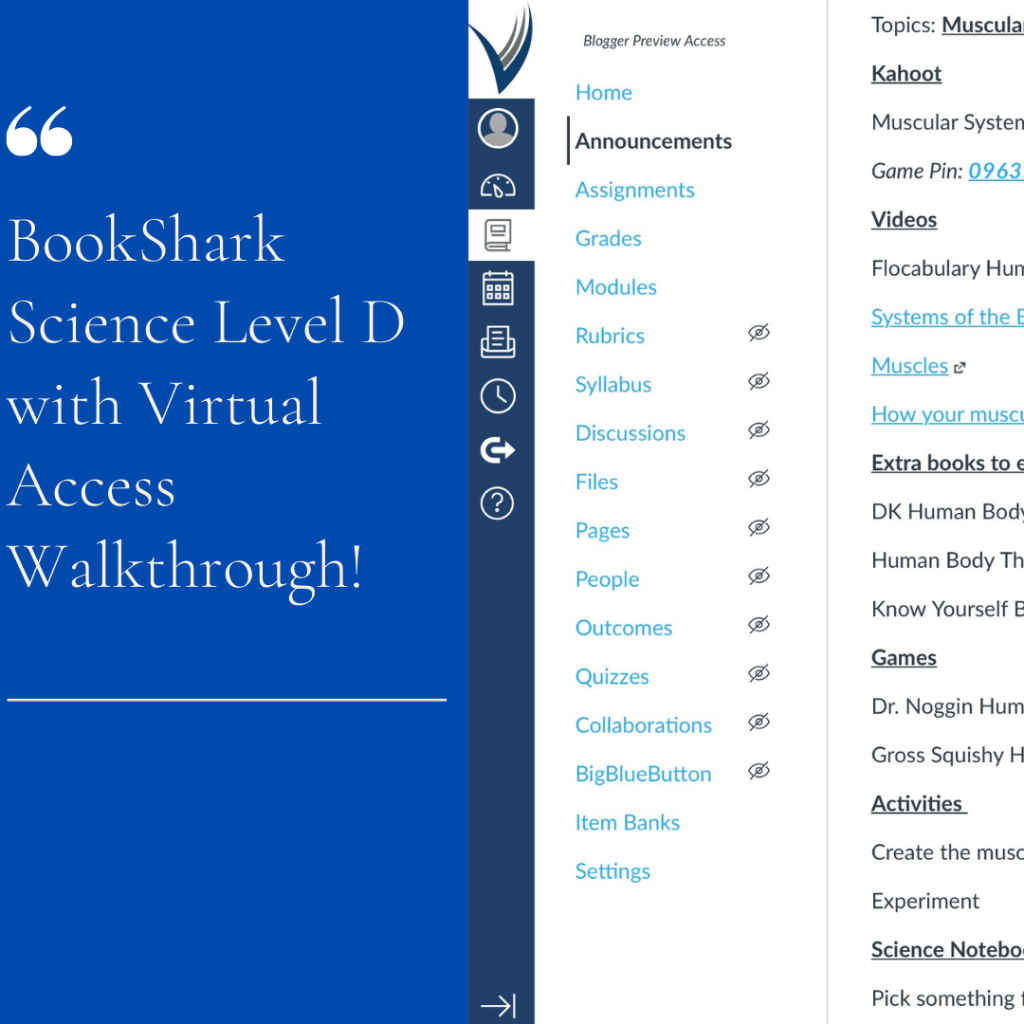
The BookShark Science Virtual Access includes:

  • Parent and Student Dashboards
  • Assessments and Grading
  • Quizzes
  • Announcements
  • Discussions
  • Pdf Access to Student Activity Sheets
  • Weekly Schedule

I use the virtual parent dashboard to check out the schedule for the upcoming week, post announcements, and check-in his completed assignments. I am also super busy during the week tutoring students, so it is much easier for me to grab my iPad when I am ready to sit down with my son versus my working binder. Super convenient to have my entire binder at my fingers tips with quick login.

The parent dashboard allows me to post announcements and discussions for him to view in the student dashboard. I use the announcement board to welcome him to the new week, list external resources for him to click, and find our in-home resources. On the discussion board, I sometimes post questions about previous weeks’ lessons to check to make sure he has retained the information.
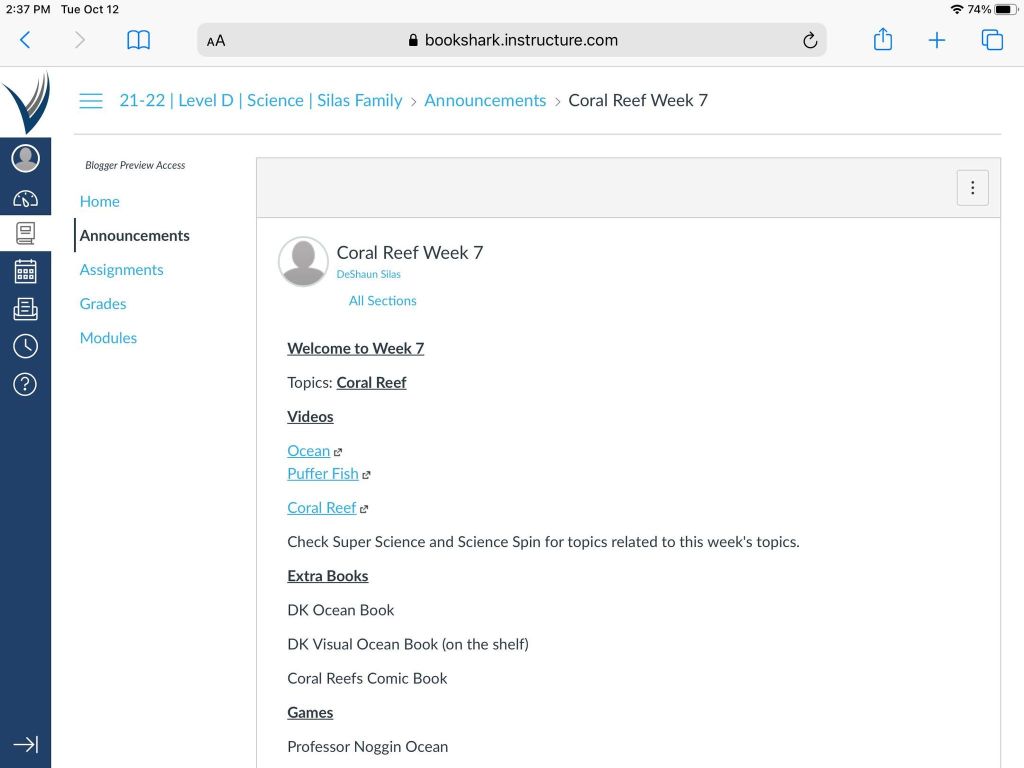
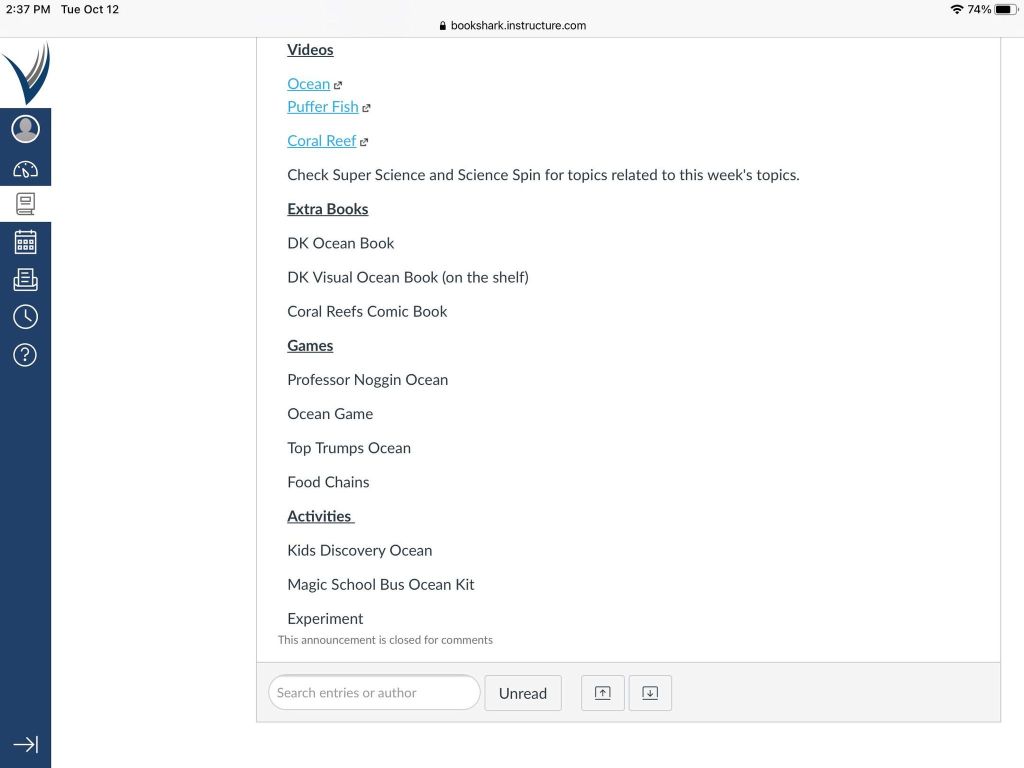
If you are looking for your student to start learning some independence the virtual access allows your student to begin to take their learning into their own hands. The student dashboard is easy for them to manage, as the parent you can set what modules your students have access to. I personally left my student dashboard basic because I didn’t want him to feel overwhelmed.

BookShark Virtual provides the perfect balance of independent and parent-led study.

-BookShark

My son really enjoys using the BookShark Science Virtual Access. He likes the independence it has given him. The virtual access has increased his confidence and increased his executive functioning skills. He loves the announcement board because he can now use all the in-home resources that have been collecting dust.

My son found it easier for him to locate his assignments and external resources that I had added to the announcement board. There were days in which I forgot to write his assignments in his lesson planner and he could use the dashboard on his own. As a busy homeschool mom I found the virtual access just what I needed on those weeks I didn’t get our weekly lesson plans completed. My son loves science therefore making sure I have plans ready for him watch week can be time-consuming.

I can find my lessons on my own and start working on them before my mom is ready to.

-Jaidyn 9

BookShark Science Virtual Access provides excellent video instructions so you can learn how to use the virtual platform. I found these videos helpful along with the BookShark customer service. One of the features I really enjoy is the ability to turn weekly modules on and off. My son is one of those kids that likes to look ahead, so I typically only turn on 2 weeks worth of lessons for him to review.

The virtual access also allows students to be able to answer their experiment questions right in their dashboard. I like this feature, but my son hasn’t taken advantage of it as yet. The virtual access is like a science lesson planner makes life so much easier and helps keep us accountable. I am still learning how to use the parent dashboard, but in the weeks to come I am confident I will discover something new.

The virtual access is available for all the BookShark subjects at a low cost. Using BookShark Science Virtual Access has given me peace of mind, our days are more structured and this has been the first year we have been consistent with our science lessons. If you want to try out the virtual access free for three weeks you can try it out here.

I highly recommend adding the BookShark Science Virtual Access to your BookShark Science curriculum package. You will save yourself a lot of planning time and to be honest with you it is a really fun add-on.

Since previously writing this review of the BookShark Science Virtual Access I have uploaded a video walk-through on how I use the dashboard on our Little Learner and Mom Instagram.
Until the Next Time,

Mom

1st Grade, 2nd Grade Curriculum, 3rd Grade Curriculum, 4th Grade, 5th Grade, 6th Grade, 7th Grade, Curriculum, dyslexia, Homeschool, Language Arts, Read Alouds, Reviews, spelling, Writing

LightSail for Homeschoolers Review!

Disclosure: I received this complimentary product through the Homeschool Review Crew.

For the last few weeks, we have been using LightSail for Homeschoolers Premium Subscription. The crew was given given a 1-year online subscription to review. LightSail for Homeschoolers focuses on four areas Reading, Writing, Vocabulary, and Fluency it also includes World Book.

LightSail for Homeschoolers program focuses on the 4 areas of literacy. Before students can venture into the program they are given an assessment to determine their Lexile level. The assessment is lengthy so I recommend breaking it up into 2 days. After the children finish the assessment you will see their score and you as a the parent can assign books for them to read that are on on that level or any level you would like. LightSail for Homeschoolers has excellent content security, I noticed that a lot of books I went to assign my student or I was just researching to add for him to read I had to grant permission for him to access.

LightSail for Homeschoolers Reading has a huge selection of literature, I was very pleased to see lots of culturally diverse materials and topics. My son has a major passion for the Negro Baseball League and we found several books, videos, and documentaries about the players that I created him a unit study so he could access them faster. Speaking of unit studies WOW this feature is fabulous, I was able to create unit studies for our science, history, and language arts lessons. The unit study feature allows you to assign the study to all the students or to individual students. The LightSail for Homeschoolers Reading provides:

  • Unit Studies, Booklist and Memory Work
  • Read-Alouds
  • Assessments
  • Augment Reality
  • Interactive Books
  • Videos
  • Parental Control

We really enjoyed the augmented reality section we were able to explore areas of the world and places. The LightSail for Homeschoolers Reading also helps you set reading goals, track your students data, reading badges, and much more.

LightSail for Homeschoolers Writing from what is reviewed is going to be a great program that will encourage your student to work on grammar skills, writing, journal, and write books. Parents will be able to assign writing assignments, grades and provided feedback to their students writing. At the time of this review, this section was not available.

LightSail for Homeschoolers Vocabulary is fabulous students can work on vocabulary building and spelling both of which we really need assistance in this area. Students will work on definitions and interactive activities. One of my absolute favorite sections is the Clozes in text, how can sing this practice praises. Several of the books in the library uses the clozes. The books the students read are missing words, and have interactive in-text activities. The students can’t move on in the book until they do the activities. The activities require the student to use comprehension, context clues and vocabulary skills to fill in the blanks.

LightSail for Homeschoolers Fluency will work on improving your students fluency, through read-alouds & re-telling, memory work, listening, speaking and writing.

LightSail for Homeschoolers Reading, Writing, Vocabulary, and Fluency is an excellent language arts online platform. There is a lot of content in the LightSail for Homeschoolers , you will need to undergo a learning curve when using the platform. I highly recommend you watch all of the videos and take some time getting use to the platform. I am still learning the platform myself, several of the areas are still under development so you will not have access to all areas. The one thing I was very disappointed with is that this program will only work with Chrome and Edge. We are an Apple family and I had to download the Chrome browser on my iMac so I could manage the parent dashboard. My son also wasn’t a big fan that he couldn’t use this on his iPad and had to be stationary in front of his laptop. I would encourage the company to make this available on Safari and Firefox.

At the time of this review, the company offers a 7 day free trial, thereafter $99 for the LightSail for Homeschoolers Premium account. Be sure to check out the other crew’s reviews of LightSail for Homeschoolers by clicking the banner below.

4th Grade, 5th Grade, 6th Grade, 7th Grade, Curriculum, dyslexia, Education, Homeschool, Language Arts, Reviews, spelling, Writing

Write Shop Junior Level E Homeschool Curriculum Review!

Complimentary product received through the Melanated Gold Review Squad, in exchange for my honest review.

We are no strangers to the WriteShop curriculum when my son was in kindergarten/1st grade we tried out the WriteShop Level A Primary. Two years ago I purchased WriteShop Junior Level D , at the time I purchased level D my son wasn’t quite ready for it so I put it on the shelf until this year. The Melanated Gold Review Squad was offer the chance to review WriteShop Junior Level E and I thought this would be a good opportunity to check out Level E, because I had plans to purchase it.

WriteShop Junior Level E is for 4th-5th grade. Students will embark on a creative writing adventure using all the different learning styles. WriteShop Junior Level E set comes with

  • Teacher’s Guide
  • Activity Pack w/Fold-N-Go Grammar
  • Time-Saver Pack, and Junior Writer’s Notebook 1 .

The Junior Writers Notebook is a digital download I plan to purchase this product, because it was not sent to me. WriteShop Junior Level E is available in hard copy or digital.

WriteShop Junior Level E has 10 instructional writing lesson covering:

  • Fables
  • Writing with Humor
  • Adventures
  • Writing Science Fiction
  • Mystery Writing
  • Concrete Poetry
  • Personal and Descriptive Narrative
  • Book and Nonfiction Reports

I know what you are thinking 10 lessons that’s all ??? Each lesson is recommend to be done over a 3 week period of time, which will give you 30 weeks. Now you can do what works for and go at your own pace. The teacher’s manual offers suggested lessons plans for a 2 week or 3 week schedule. The teachers manual helps you with the set up of each lessons, prepping, suggested reading list, and resource links.

WriteShop Junior Level E requires parent involvement. You need to do prepping of each lessons activity. The time-saver pack is must have it does exactly what it says saves time. I took a Sunday and created all of the Fold-N-Go Folders. You do have permission to photocopy of the grammar. Making copies are for your use only. I did take my time and make photocopies of certain lesson just in case I may need to review again with him. I did purchase a long reach stapler on Amazon. Grammar covered in WriteShop Junior Level E :

  • Sentences
  • 4 Sentence Types
  • Compound Sentences
  • Parts of Speech Review
  • Dialogue
  • Homophones, Homonyms, and Homographs
  • Five Paragraphs
  • Prefix and Suffix
  • Compound Words
  • Synonyms and Antonyms

How the Program Works

Students will start their journey with reading one the suggested books for the lesson. This step is clearly option, we looked through the list and we noticed that the book list suggested in the teacher book and the provided resource link lacked diversity so we had to make some adjustments in this area. The weekly lessons students will work on one of the following skills during the 4 day work week: Brainstorming, Pre-writing, Fold-N-Go Grammar, Editing, and Revising.

One of the things I found confusing in the teachers manual is the referencing to the Junior Writers Notebook in the teacher’s manual and I was confused why I couldn’t find the sheets and then I checked WriteShop and noticed I needed to purchased it separately because I didn’t receive it. The teacher’s manual can be a little overwhelming I had to whip out my highlighters and page markers.

Overall Thoughts

I really like WriteShop Junior Level E the program is multi sensory, creative and flexible. The program also works for children who may have dyslexia or dysgraphia and struggling 6th and 7th grade writers.

The company emails helpful resources and has a wonderful blog. My son isn’t a big fan of writing but this curriculum went over well. He didn’t feel overwhelmed as enjoyed the games and the interactive activities. My son has a strong foundation in grammar so WriteShop Junior Level E grammar skills lessons are a perfect review for him, but because he isn’t a confident writer we will continue to finish up with WriteShop Junior Level D and we will also use WriteShop Junior Level E later this semester but I will pull the grammar from WriteShop Junior Level E hence the reason why I am glad the company grants you permission to make photocopies for your own personal use.

At the time of this review WriteShop Junior Level E hard copy is $84.50 plus shipping. Be sure to check out the other Melanated Gold Review Squad reviews on WriteShop .